

Publishing content regularly is no longer optional. Whether it’s blog posts, landing pages, email campaigns, or social media updates, businesses are expected to stay visible and relevant across all platforms. But the content creation process is time-consuming, especially when teams are juggling multiple deadlines and tasks.
That’s where content automation comes in.
Content automation helps simplify how content is planned, created, and delivered. It reduces repetitive work, saves time, and gives marketing teams the freedom to focus on strategy and creativity. With the right automation tools in place, you can speed up production without losing quality or consistency.
In this guide, we’ll explore what content automation is, how it works behind the scenes, and how it fits into a modern content creation process to help you work smarter and scale faster.
What Is Content Automation?
Content automation is the process of using technology to streamline how content is created, managed, and published. Instead of spending hours on manual tasks like formatting, scheduling, or organizing files, businesses use automation tools to speed up the content workflow.
At its core, content automation handles the behind-the-scenes work that slows down teams. This includes things like setting up content templates, automating publishing schedules, reusing approved brand assets, and keeping everything consistent across different platforms.
Automating content doesn’t mean removing the human element. It means reducing the time spent on repetitive actions so teams can focus more on strategy, creativity, and storytelling. Whether it’s writing product pages, managing social media posts, or updating website content, automation helps make the process smoother and faster.
By putting systems in place that support every stage of the content lifecycle, businesses can produce more high quality content without increasing their workload. And that’s the real power of content automation.
Why Content Automation Matters Today
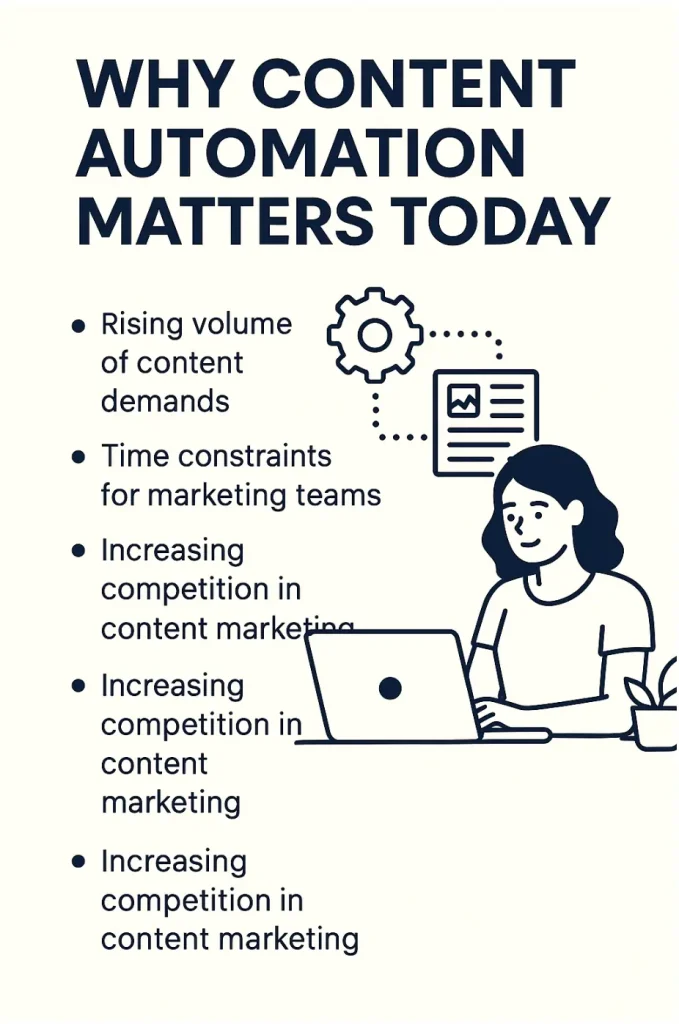
Today’s digital landscape is fast and demanding. Brands are expected to deliver fresh, relevant content consistently across blogs, websites, email, and social media. But this growing demand comes with serious challenges.
Rising Volume of Content Demands
Audiences consume more content than ever. Meeting that demand without burning out your team requires better systems, not just more people.
Time Constraints for Marketing Teams
From writing to publishing, the content creation process can be slow. Automation tools help by handling the routine tasks so teams can focus on campaigns and strategy.
Need for Consistency Across Platforms
Every piece of content needs to match your tone, voice, and branding. Automating content with templates ensures everything looks and sounds consistent everywhere.
Increasing Competition in Content Marketing
It’s not just about being online. It’s about standing out. Automating workflows helps you move faster and stay ahead without cutting corners on quality.
How Content Automation Works
Content automation simplifies every stage of the content workflow. Here’s how the process usually unfolds when done right:
Input and Strategy
Start with a clear goal. Define what content you need, who it’s for, and what outcome you expect. Strategy always comes first.
Template and Content Planning
Use content templates to maintain consistency. These can include layouts for social posts, email formats, or landing pages with pre-approved design and copy blocks.
Automated Creation Processes
Automating content allows teams to reuse elements, fill in details with dynamic fields, and build multiple versions of content in less time.
Scheduling and Publishing Workflows
Use scheduling tools to plan when and where your content will go live. This ensures regular publishing without manual check-ins.
Tracking and Improving Performance
Once content is live, automation tools collect performance data. This helps teams understand what works and where to improve next.
Core Benefits of Content Automation
Adopting content automation doesn’t just make things faster. It improves the quality, consistency, and effectiveness of every piece you publish.
Maintains Brand Consistency
Templates and permissions help your team stick to brand standards, no matter who is producing the content.
Saves Time and Reduces Workload
Less time spent on formatting, editing, or searching for files means more time for strategy and big-picture work.
Boosts Efficiency Across Teams
Clear processes and better collaboration tools reduce bottlenecks and improve communication across departments.
Reduces Costs Over Time
Automating repetitive tasks cuts back on manual labor and lowers the cost of creating and managing content at scale.
Helps Personalize Content for Specific Audiences
Add dynamic fields like customer name, location, or industry to personalize messages without creating new versions from scratch.
Supports a Stronger Strategy
With data and reporting built in, you get real insight into content performance. This helps you refine your strategy based on what actually works.
Common Use Cases in the Content Creation Process
Content automation is not just about publishing faster. It’s about making your entire content creation process smoother and more scalable. Here are some of the most common ways businesses are using automation tools to improve how they create and manage content.
Social Media Scheduling
Instead of posting manually every day, automation tools let you schedule posts across platforms in advance. You can create a week’s worth of content, line it up, and publish on auto-pilot. This saves hours and ensures consistent engagement.
Blog and Article Planning
Using templates to outline blog structures keeps your content creation organized. It helps maintain a consistent format and speeds up the drafting process.
Bulk Email Campaigns
Personalized email marketing becomes much easier when you automate subject lines, greetings, and content blocks. You can send thousands of emails that feel tailored without writing them one by one.
Content Distribution
Whether it’s your website, newsletters, or multiple social channels, automation tools help distribute content in a few clicks. Automating content publication ensures your message reaches the right audience at the right time.
Content Localization
For businesses with a global reach, translating and adjusting content manually for each region can take forever. Content automation helps create versions in multiple languages while keeping the core message intact.
Key Features to Look For in a Content Automation System

Choosing the right automation tools can make or break your content strategy. Not every platform fits every workflow, so it’s important to look for features that support your team’s goals and scale with your needs.
Pre-built Templates
Templates are essential for speeding up the content creation process. Look for tools that let you build reusable templates for blog posts, emails, and social media.
Workflow Control and Permissions
A good content automation system should allow you to set approval workflows, user permissions, and publishing rights. This keeps your content organized and avoids confusion across teams.
Scheduling and Calendar Integration
Automating content is much easier with built-in calendars and publishing schedules. This ensures content goes live at the right time, without manual reminders or delays.
Asset Management Tools
Managing design assets, brand files, and reusable content pieces is critical. The right tool will keep everything in one place and make it easy to find when needed.
Revision History and Approval Tracking
Track changes, view previous versions, and manage approvals all in one space. This helps improve the quality and consistency of your content without bottlenecks.
Analytics and Performance Tracking
To measure success, your automation tool should provide detailed insights. Look for content performance data, audience engagement reports, and campaign summaries to guide future decisions.
The right features make it easier to manage the entire content creation process. With the right platform in place, you can streamline your operations, reduce errors, and maintain better control over your brand content.
Maintain Brand Consistency with Brandy

One of the biggest challenges in content automation is keeping branding consistent across teams and channels. Brandy helps solve that by organizing your brand elements into a single, easy-to-access space.
With Brandy, you can store and manage logos, fonts, colors, icons, and content templates in one platform. This ensures your team uses the right files and visuals every time, no matter where or how they publish.
It also supports better content quality by locking key brand elements. Writers and designers can focus on the content creation process without worrying about mismatched styles or outdated assets.
Brandy plays a key role in supporting a clear brand voice and saving time during execution. Whether you’re distributing content across multiple platforms or collaborating with other departments, Brandy brings structure to your content automation workflow.
Explore how Brandy can simplify your branding and improve your automation setup at brandyhq.com.
Examples of Content Tasks You Can Automate
Automated content creation helps marketing teams focus on strategy while reducing the burden of repetitive work. From brainstorming to distribution, there are many ways to improve your workflow using content automation tools.
Keyword Research and Topic Discovery
Instead of guessing what to write, you can automate keyword research to find high-performing search terms and trending topics. This ensures your content aligns with what your audience is actually searching for.
Structuring and Formatting Content
Use content templates to standardize the structure of blog posts, product pages, or newsletters. This speeds up automated content creation and ensures your brand tone stays consistent across all channels.
Personalizing User Experiences
Automation tools can tailor your content with dynamic fields like name, region, or product preferences. This makes your content more relevant without requiring extra manual work.
Content Scheduling and Publishing
Save hours by scheduling blog posts, email campaigns, and social media content in advance. With smart automation, your content goes live at the right time across all platforms.
Repurposing and Refreshing Content
Turn long articles into bite-sized updates or reuse social posts for email content. Automated content creation makes it easy to repurpose material while staying within your brand guidelines.
Supporting the Creative Process
By taking care of repetitive tasks, automation supports the creative process rather than replacing it. Writers and designers get more time to focus on strategy, storytelling, and innovation.
When you automate these tasks, your content creation process becomes faster, more efficient, and less stressful for everyone involved.
Content Automation vs Manual Processes
Content automation doesn’t just replace repetitive tasks. It transforms how content is delivered and managed. Here’s how it compares to traditional manual workflows.
| Factor | Manual Process | Content Automation |
|---|---|---|
| Speed | Slower due to repeated manual tasks | Much faster with scheduled workflows |
| Scalability | Hard to scale with limited resources | Easily scales across multiple platforms |
| Error Rate | Higher chance of mistakes and delays | Lower risk with consistent templates |
| Cost Over Time | More time equals higher labor costs | Reduced costs through efficient workflows |
| Team Productivity | Time spent on admin reduces output | Teams focus more on strategy and content |
By automating content, teams can create more, improve quality, and reduce stress—without adding pressure or headcount.
How to Implement Content Automation in Your Workflow
A successful content automation strategy starts with the right foundation. Here’s how to build it step by step.
Identify Repetitive Tasks
List out the time-consuming actions you do every day. Focus on automating tasks like scheduling, formatting, or assigning projects.
Build a Content Strategy Around Automation
Automation only works when it fits into a bigger plan. Outline your content goals, audience segments, and publishing schedules first.
Choose the Right Tools for Your Team
The best automation tools fit your workflow. Make sure they are easy to use, cost-effective, and can integrate with your existing systems.
Set Up Workflows and Permissions
Assign access levels for editing, approvals, and publishing. This keeps the process organized and reduces confusion across teams.
Test and Optimize Regularly
Automated processes still need attention. Review performance data and adjust your templates, timing, or content structure as needed.
Challenges to Be Aware Of
Automation is powerful, but it comes with areas to watch. Proper oversight avoids drops in quality and helps your team stay creative.
Risk of Over-reliance On Tools
Leaning too much on automation can reduce content output creativity. Always involve your marketing teams in shaping strategy.
Content Fatigue If Not Monitored
If you’re distributing too much content too fast, it can overwhelm your target audience. Monitor reactions to adjust your content distribution pace.
Loss of Creative Spontaneity
Templates can stifle new ideas if overused. Revisit content templates regularly to keep your creative work flexible and engaging.
Mistakes from Outdated Templates
If assets or branding change, update design elements and structures. Outdated visuals can weaken public relations and credibility.
Final Thoughts
Content automation helps businesses streamline their content lifecycle without compromising quality. It simplifies how you generate content, manage distribution, and analyze results.
Use it to repurpose content, simplify content scheduling, and ensure every piece aligns with your strategic goals. Whether you’re creating blog posts or paid advertising campaigns, automation works best when paired with smart planning.
The right tools let your team create content for different platforms, personalize messages, and support content publication in multiple languages. With proper use, it leads to real cost savings and improved efficiency.
Always balance automation with human insight. Make space for creativity, follow a strong review process, and use performance tracking to guide your next steps

