
Your brand guidelines are only as useful as the platform they live on.
A beautifully designed PDF gets buried in a downloads folder. A shared Google Drive link goes stale within months. A zip file of logos and hex codes teaches nobody anything. The teams that actually need your brand guidelines, including designers, marketers, agencies, and new hires, need something they can open, navigate, and trust to be current.
That’s where brand guidelines software comes in.
In this guide, we’ve reviewed and ranked the 10 best brand guidelines platforms available in 2026, covering everything from free tools to enterprise systems. Whether you’re a freelancer delivering to a single client, a growing agency managing a roster of brands, or an in-house team keeping a global identity consistent, there’s a platform on this list built for your situation.
What is Brand Guidelines Software?
Brand guidelines software is a dedicated platform for building, hosting, and sharing a brand’s identity system in a structured, accessible, and always-current format. Instead of static files, teams get a living brand hub where logos, colors, typography, voice guidelines, templates, and usage rules are organized and available to anyone who needs them.
The best platforms go further by supporting asset downloads in multiple formats, controlling what external partners can access, updating content in real time, and giving brand managers full visibility into how their identity is being used.
What to Look for in Brand Guidelines Software?
Before comparing platforms, it helps to know what separates a genuinely useful tool from one that creates more work than it saves.
Ease of use matters more than feature count. A platform that requires a steep learning curve will be avoided by the very people it’s meant to serve. Look for visual editors that feel intuitive without training.
Asset hosting determines whether the platform can replace your entire delivery workflow. Can it store logos in multiple formats, custom fonts, brand photography, and templates? Storage limits can become a serious constraint on larger projects.
Real-time updates are what make digital brand guidelines worth the switch from PDF. If updating a color code requires a complex publishing process, you’ll stop doing it. The best platforms update instantly.
Access controls let you share specific assets and guidelines with external agencies or partners without exposing everything. Granular permissions protect your brand while enabling collaboration.
Custom branding keeps the presentation professional. Can the platform reflect each client’s brand identity rather than pushing its own generic interface?
Pricing model should align with how you work. Pay-per-project versus monthly subscription versus per-seat pricing all suit different business models. Understand what you’re committing to before you build anything.
The Best Brand Guidelines Software Platforms in 2026
Discover the top tools that help teams store, manage, and share brand assets with consistency and control. Compare the best brand guidelines platforms to keep every team aligned and on-brand in 2026.
Brandy (Best Overall)
Best for: Freelancers, agencies, startups, and in-house brand teams of all sizes
Pricing: Free plan available; paid plans starting from affordable monthly tiers
Free trial: Yes
Brandy is the best brand guidelines software available in 2026 for most teams and use cases. It combines the depth of an enterprise-grade brand hub with the simplicity freelancers and small agencies actually need, and does so at a price point that makes it viable for every project, not just big-budget ones.

At its core, Brandy gives your brand a permanent, organized home. Logos in every format, color codes, typography specs, voice guidelines, templates, usage rules, and any supporting assets all live in one place, accessible from any device, by anyone you give access to. Instead of emailing zip files or pointing clients to outdated shared folders, you share a single branded link that always reflects the current, approved version of the brand.
What makes Brandy stand out?
For brand managers, Brandy solves the version control problem completely. Update a logo, adjust a color code, or add a new template, and it reflects immediately for every user, whether that’s an internal designer or an external agency on the other side of the world. No more chasing down outdated files that have already been used incorrectly.
For agencies and freelancers, Brandy transforms brand guideline delivery from a PDF handoff into a professional, premium experience. Clients receive a clean, navigable brand hub they can actually use day to day. The perception of value increases substantially, which supports higher project fees and stronger client retention.
For external partners and agencies, Brandy’s access controls mean they see exactly what they need and nothing more. Grant access to approved assets without handing over the keys to everything. Brand consistency improves when the right files are always one click away.
For growing teams, Brandy scales naturally. Whether you’re onboarding a new designer, briefing a PR agency, or expanding into a new market, your brand system is always ready to share. The source of truth doesn’t reside with a single person or machine.
Brandy is built specifically for brand work, which shows in every detail of the experience. It doesn’t try to be a project management tool, a social media scheduler, or a design app. It does one thing exceptionally well: making your brand guidelines work for the people who need them.
If you’re choosing one platform for brand guidelines, Brandy is the answer.
Get started with Brandy for free
Frontify
Best for: Large agencies and enterprise brands with complex governance needs
Pricing: Demo required; enterprise pricing
Free trial: 21-day trial available
Frontify is one of the most established names in digital brand management, trusted by global organizations including Uber, Volkswagen, Lufthansa, and Microsoft. It goes well beyond brand guidelines, functioning as a full brand management ecosystem with deep integrations, approval workflows, and analytics.

The platform covers everything from basic brand guidelines to comprehensive digital asset management. You can build from scratch or start from a basic or advanced template, though, unlike some competitors, the setup is largely manual, which gives granular control but requires more upfront investment of time.
Where Frontify earns its reputation is in governance and integrations. It connects with dozens of design and collaboration tools, supports sophisticated permission structures, and provides detailed analytics on how brand guidelines are being used across an organization. For large teams spread across multiple regions or departments, these features justify the complexity.
The trade-off is the learning curve. Frontify is a powerful platform, and that power comes with configuration overhead. It makes the most sense for established agencies managing enterprise clients or in-house teams at large organizations where brand governance is a daily operational concern.
Standards
Best for: High-end agencies delivering to premium clients
Pricing: Professional tier pricing
Free trial: Available
Standards was created by the studio Order and represents some of the most thoughtful design work in the brand guidelines software category. It has republished iconic brand manuals from organizations such as NASA and the New York City Transit Authority, and is trusted by agencies including Pentagram and Gretel.

The standout feature of Standards is automation. Upload an SVG logo and the platform generates color variations automatically. Enter your primary colors, and it generates documentation with proper formatting. This automation saves hours on setup while maintaining a level of quality that reflects the brand systems being documented.
The output quality is exceptional. Guidelines built in Standards look and feel premium, which matters for agencies whose reputation depends on the caliber of their deliverables. Every detail, from typography rendering to color display to asset organization, reflects deliberate design decisions.
Standards is best suited for high-value brand projects where the guidelines themselves are part of the premium deliverable. The investment is higher than mid-tier alternatives, but for agencies working at the top of the market, it often pays for itself through stronger impressions and better client outcomes.
Corebook
Best for: Growing agencies that need professional capabilities without enterprise overhead
Pricing: Mid-tier professional pricing
Free trial: Available
Corebook has built an impressive client roster that includes Tinder, Miro, and major agencies like VaynerMedia and M&C Saatchi. It occupies a useful middle ground in the market: more sophisticated than basic tools, less complex than enterprise platforms.
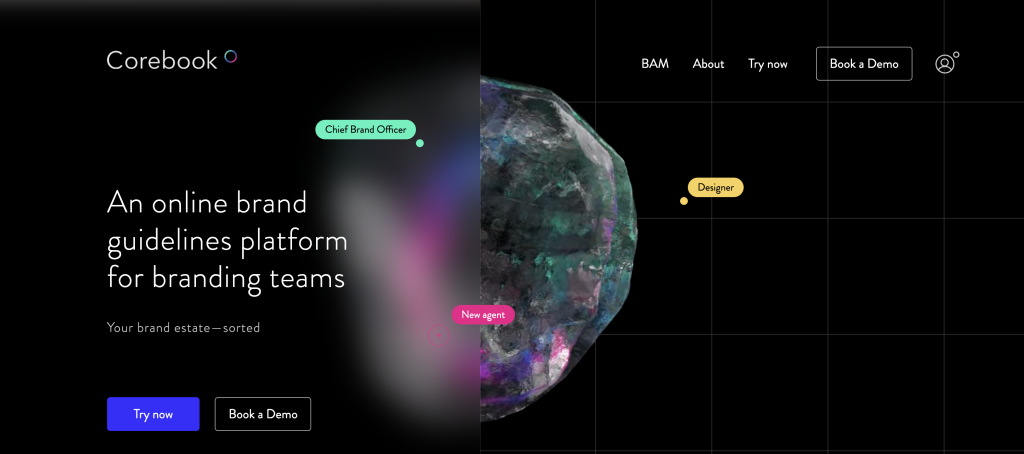
The interface feels contemporary and approachable. The visual editor covers all standard brand guideline sections, including logo usage, color systems, typography, imagery, and tone of voice, without requiring any coding knowledge. Collaboration tools support feedback and iteration between agency teams and client stakeholders throughout the development process.
Corebook is a strong choice for agencies that have outgrown simple tools but aren’t ready for, or don’t need, the complexity of a Frontify-level platform. It delivers professional results with a manageable learning curve and pricing that reflects its positioning between budget and enterprise tiers.
Bravemark
Best for: Freelancers and small agencies looking for a simple, affordable solution
Pricing: Free tier available; paid plans from approximately $6 per month
Free trial: Yes, free tier available
Bravemark is a purpose-built platform for freelancers and small studios. It focuses on delivering the core essentials of brand guidelines without the complexity or cost of larger platforms.
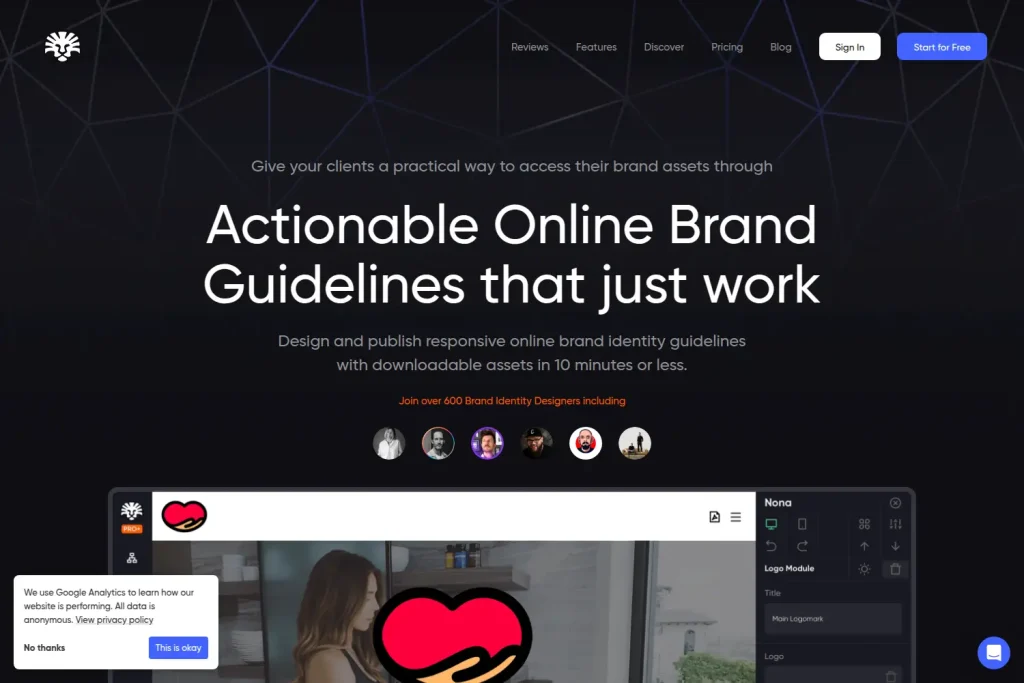
The drag-and-drop editor allows users to build custom brand books quickly, adding logos, colors, typography, images, and video. The interface will feel familiar to anyone comfortable with modern design tools. Asset management is straightforward, with clients accessing files through a permanent link rather than requesting resends months after project completion.
Bravemark’s pricing makes it accessible for projects at almost any budget level. The free tier supports single projects, and paid plans unlock additional projects and asset storage at a low monthly cost. For freelancers who need a professional delivery format without committing to a larger platform investment, Bravemark is worth evaluating.
BrandPad
Best for: Designers who prefer starting from structured templates
Pricing: Professional tier pricing
Free trial: Available
BrandPad takes a template-forward approach, offering a library of professionally designed starting structures that cover different levels of brand guideline complexity. Rather than building from a blank canvas, users select a structure and customize from there, which significantly reduces setup time.
The interface is clean and minimal, with straightforward editing tools and options for uploading fonts, customizing colors, adding logos, and building out sections. The learning curve is gentle, making it accessible to designers new to digital brand guidelines platforms.
BrandPad is trusted by major agencies and performs well for studios that prefer a foundation to build from rather than designing systems from scratch. If the template-first approach suits your workflow, it delivers solid fundamentals efficiently.
Lingo App
Best for: Brands with large visual asset libraries
Pricing: Mid-range pricing
Free trial: Available
Lingo App approaches brand guidelines with a strong emphasis on visual asset organization and distribution. It is used by brands including Duolingo, Reddit, and Snapchat, and its core strength lies in efficiently handling large volumes of branded content.
A standout feature is intelligent file handling. Upload an SVG and the platform automatically generates multiple derivative formats, including PNGs and JPEGs, reducing manual conversion work. This automation is particularly valuable for brands managing extensive icon sets, illustration libraries, or large photography collections.
Lingo makes the most sense for teams whose primary challenge is asset chaos, where the right logo cannot be found, outdated photography keeps getting used, or designers waste time searching for approved files. The organizational capabilities are strong, though the platform is less focused on narrative brand documentation than on asset management.
Baseline
Best for: Organizations where non-designers create brand content regularly
Pricing: Mid-range pricing
Free trial: Available
Baseline takes a distinctive approach by combining brand guidelines with content creation capabilities. Think of it as brand documentation and a simplified design tool in one platform. Teams can reference brand guidelines and then create on-brand social media graphics, presentations, and marketing materials within the same environment.

This dual functionality addresses a common gap: teams understand the guidelines but struggle to apply them correctly in practice. Baseline bridges that gap by letting people produce branded content using approved templates and assets without constant designer oversight.
The trade-off is depth. If you need sophisticated brand documentation or complex governance features, a dedicated platform will serve you better. But for organizations where marketing teams, sales staff, or regional offices need to create professional materials independently, Baseline’s integrated approach delivers genuine practical value.
Bynder
Best for: Large enterprises managing global brand portfolios
Pricing: Enterprise pricing, demo required
Free trial: Not self-service; requires direct engagement
Bynder operates at the enterprise end of the market, serving large corporations that manage brands across multiple markets, product lines, or sub-brands. The platform does not offer self-service signup, which clearly signals its target audience.
For the organizations it serves, Bynder provides sophisticated governance, compliance tracking, approval workflows, usage analytics, and integration with existing enterprise systems. These features matter when brand consistency directly affects revenue and misuse creates significant legal or reputational risk.
For freelancers and small-to-midsize agencies, Bynder is almost certainly more platform than needed. But for in-house teams at large organizations or agencies supporting enterprise clients with complex governance requirements, understanding this category helps in making appropriate platform recommendations.
Flipsnack
Best for: Teams that want to make existing PDFs digitally accessible
Pricing: Free and paid tiers
Free trial: Yes
Flipsnack falls into a different category than the other platforms on this list. Rather than building brand guidelines from scratch, it takes existing PDF documents and converts them into browsable, online-accessible formats with page-turning interactions and improved readability.
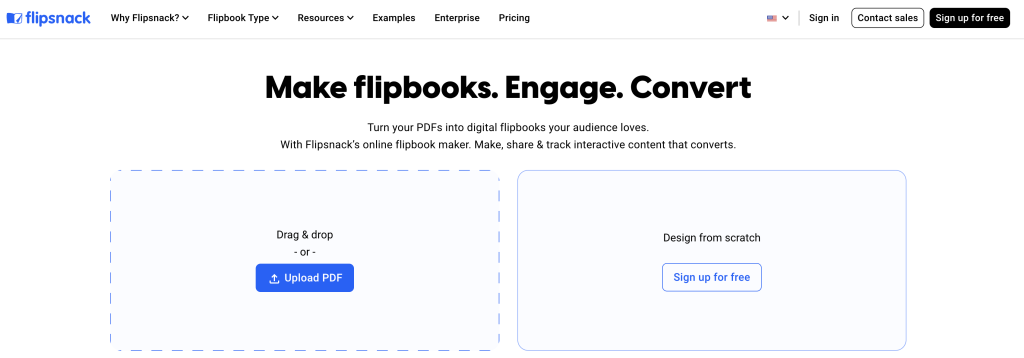
It does not solve asset management, real-time updates, or access control challenges. What it does is provide a simple way to make a static PDF more accessible if your team is not ready to transition to a fully interactive brand guidelines platform.
For teams stuck in a PDF workflow with no immediate path to change, Flipsnack offers a low-commitment bridge to digital distribution. For anyone serious about building a functional brand system, the other platforms on this list are better investments.
Brand Guidelines Software Comparison Table
| Platform | Best For | Free Plan | Pricing Tier | Asset Hosting | Real-Time Updates | Access Controls |
|---|---|---|---|---|---|---|
| Brandy | All team sizes | Yes | Affordable | Yes | Yes | Yes |
| Frontify | Enterprise brands | 21-day trial | Enterprise | Yes | Yes | Advanced |
| Standards | Premium agencies | Limited | Professional | Yes | Yes | Yes |
| Corebook | Growing agencies | Available | Mid-tier | Yes | Yes | Yes |
| Bravemark | Freelancers | Yes | Budget-friendly | Yes | Yes | Basic |
| BrandPad | Template-first designers | Available | Professional | Yes | Yes | Yes |
| Lingo App | Asset-heavy brands | Available | Mid-range | Yes | Yes | Yes |
| Baseline | Content creation teams | Available | Mid-range | Yes | Yes | Basic |
| Bynder | Large enterprises | No | Enterprise | Yes | Yes | Advanced |
| Flipsnack | PDF distribution | Yes | Budget-friendly | No | No | Basic |
How to Choose the Right Brand Guidelines Software?
The right platform depends on your team size, client base, and how you work.
Freelancers should prioritize simplicity and affordability. Platforms that require extensive configuration or carry monthly costs that only make sense at high project volumes are the wrong fit. Brandy’s free plan and affordable paid tiers make it the natural starting point, with Bravemark as an alternative for very simple delivery needs.
Small agencies managing multiple clients need scalable solutions that don’t cause costs to spiral as the project roster grows. Brandy handles this well, allowing multiple brand hubs without per-project fees that compound quickly. Corebook and BrandPad also perform well at this level.
Large agencies working with major brands can justify enterprise platform investments through better client outcomes and stronger delivery credibility. Frontify and Standards both serve this market well, offering the sophistication that major clients expect.
In-house brand teams should weigh the long-term maintenance and adoption costs. A platform that the whole organization actually uses is worth more than the most feature-rich option that only specialists can navigate. Brandy’s accessibility makes it a strong choice here, with Frontify or Corebook suitable for organizations with more complex governance needs.
Budget alignment matters practically. If a brand identity project is valued meaningfully, allocating a small monthly platform cost is straightforward. Calculate platform costs as a percentage of project revenue. Below five percent is generally sustainable and well worth the professional upgrade.
The Case for Moving Beyond PDFs
The brand guidelines PDF had a good run. It remains a useful reference document in certain contexts. But as the sole delivery format for a brand system, it has real limitations that compound over time.
PDFs cannot update themselves. Every change requires a new export, new distribution, and hope that the right people replace the old version with the new one. In practice, they often do not.
PDFs do not host assets. A designer reading a PDF guideline still needs to go somewhere else to download the correct logo. That friction leads to wrong files being used simply because they were easier to find.
PDFs offer no visibility. You have no way of knowing whether anyone has read or used what you delivered. Brand guidelines software gives you that visibility and, more importantly, gives teams a reason to return regularly.
The transition from PDF to a dedicated platform is easier than most designers expect. Platforms like Brandy are built to make that transition straightforward, with interfaces that feel familiar and setup times measured in hours, not days.
Final Recommendation
For the majority of designers, agencies, and in-house teams, Brandy is the clear choice for brand guidelines software in 2026. It handles everything from asset hosting and real-time updates to access controls and professional presentation, without the complexity or cost of enterprise platforms that most teams do not need.
Start with Brandy’s free plan on your next project. Experience the difference between handing a client a link to a living brand hub versus attaching another PDF to an email.
Start building with Brandy for free
Frequently Asked Questions About Brand Guidelines Software
Brandy is the best brand guidelines software for most teams and use cases in 2026. It combines professional asset management, real-time updates, access controls, and an intuitive interface at a price point that works for freelancers through to growing agencies.
A PDF is a static file that becomes outdated the moment it is exported and requires manual redistribution every time something changes. Brand guidelines software provides a living, hosted system where updates happen in real time, assets are always accessible in the correct format, and access can be controlled for different users. PDFs get lost and ignored; good software gets used.
A PDF is a static file that becomes outdated the moment it is exported and requires manual redistribution every time something changes. Brand guidelines software provides a living, hosted system where updates happen in real time, assets are always accessible in the correct format, and access can be controlled for different users. PDFs get lost and ignored; good software gets used.
Yes, and it significantly improves the client experience. Platforms like Brandy let you share a branded link that your client can bookmark and return to whenever they need assets or guidance. This eliminates post-project file requests and positions your delivery as more professional than a zip file or email attachment.
Free tiers from platforms like Brandy are genuinely useful for single projects or initial testing. For agencies managing multiple clients, paid plans unlock asset hosting and multiple projects at costs that are easy to justify against project revenue.

