

Want to turn your WordPress site into a powerful online learning platform? You’re not alone. The eLearning industry is booming, and thousands of creators are now offering online courses right from their WordPress websites. But to do this right, you’ll need the right tools — starting with a WordPress LMS plugin.
A good LMS (Learning Management System) plugin lets you create courses, manage students, track progress, and sell online courses without needing custom code. From free WordPress LMS plugins to enterprise-ready course builders, there’s a solution for every creator.
In this guide, we’ve tested and compared the best WordPress LMS plugins to help you build a fully functional LMS website. Whether you’re launching a single course or an entire academy, we’ll help you find the right fit.
What Is an LMS Plugin in WordPress?
An LMS plugin (Learning Management System plugin) turns your WordPress platform into a full-blown online learning system. With it, you can build an online learning platform that supports everything from course creation and lesson management to student progress tracking and certification.
Think of it as the backend engine for your digital classroom. You’ll be able to upload course materials, create quizzes, assign certificates, and even collect payments all within your WordPress dashboard. Whether you run a coaching site, school portal, or membership-based platform, a reliable WordPress LMS plugin gives you the structure and control to manage online courses easily.
Must-Have Features in a WordPress LMS Plugin
Before you pick your plugin, here’s what a top-tier LMS plugin should offer:
- Drag and drop course builder: Simplifies the process of structuring lessons, modules, and quizzes.
- Student progress tracking: Helps students see how far they’ve come and encourages course completion.
- Monetization options: Whether you want to offer free courses or sell course bundles, the plugin should support different pricing models.
- Quizzes and assessments: Let you reinforce learning with interactive quizzes and tests.
- Certificates and badges: Reward your learners and boost credibility.
- Membership integration: Useful if you plan to sell access through membership plugins or restrict content by user roles.
- WooCommerce integration: Enables you to sell access using your existing WooCommerce store.
When these features work together, they create a seamless learning experience that feels professional and engaging.
10+ Best WordPress LMS Plugins (Reviewed & Compared)
Here’s our complete list of the best WordPress LMS plugins to help you create, manage, and sell courses online. Each plugin is built for specific use cases, from solo educators to large-scale learning platforms.
1. LearnDash – Most Trusted WordPress LMS Plugin

Best for: Professional educators, schools, and corporate training websites.
LearnDash has earned its reputation as the most widely adopted WordPress LMS plugin. With advanced features for quizzes, certificates, drip content, and student engagement, it’s the go-to tool for delivering structured online elearning courses at scale.
Key Features:
- Drag-and-drop course builder with structured modules
- Timed and randomized quizzes
- Drip-fed lessons, course prerequisites, and assignments
- Certificates for course completion
- Integration with WooCommerce, Easy Digital Downloads, and MemberPress
- Discussion forums to enhance the learning experience
Why Choose It? If you’re looking to build a high-quality learning management system website, LearnDash gives you total control with a robust foundation and flexibility.
2. MemberPress Courses – Built-in LMS + Membership System
Best for: Membership-based online course websites.
MemberPress Courses adds a complete LMS to one of the most powerful membership plugins available. Its “Classroom Mode” handles styling and structure so you can focus on teaching.
Key Features:
- Visual drop course builder
- Control access through flexible membership rules
- Supports free courses, bundled content, and subscription models
- Deep integration with email marketing tools, analytics, and BuddyBoss
- Built-in quizzes, course assignments, and gradebooks
Why Choose It? Perfect for those who want an all-in-one LMS and membership solution without extra plugins.
3. Thrive Apprentice – Visual LMS with Personalization Power
Best for: Course creators who want design flexibility and user-specific content delivery.
Thrive Apprentice focuses on creating highly personalized online learning journeys. It offers complete visual control over course layouts and supports multiple lesson formats.
Key Features:
- 55+ pre-built templates with flexible course builder
- Conditional content delivery based on user behavior
- Custom course completion pages and certificates
- Integrates with Thrive Suite tools, WooCommerce, and CRMs
- Advanced reporting on student progress and engagement
Why Choose It? You want to deliver personalized courses that adapt to individual learners, with powerful marketing features built-in.
4. Tutor LMS – Free and Premium Course Builder

Best for: Beginners and intermediate users building a full LMS for free.
Tutor LMS is a feature-rich free WordPress LMS plugin with an intuitive backend and frontend experience. The free version is surprisingly powerful, while the pro upgrade unlocks advanced capabilities.
Key Features:
- Frontend drag and drop course builder
- Certificate generator and detailed course analytics
- WooCommerce integration for course monetization
- Multi-instructor support for scalable education
- Clean compatibility with WordPress themes
Why Choose It? A generous free plugin with essential LMS features and a clear upgrade path.
WP Courseware – Powerful Yet Beginner-Friendly LMS
Best for: Universities, instructors, and agencies needing modular course layouts.
WP Courseware brings a balance of power and simplicity. With support for unlimited courses, student gradebooks, and email notifications, it’s ideal for educators who want functionality without complexity.
Key Features:
- Intuitive drag and drop course builder
- Downloadable learning content and offline support
- Built-in shopping cart and PayPal/Stripe integration
- Student progress tracking and quiz builder
- Compatible with any WordPress LMS theme
Why Choose It? You want advanced features like prerequisites and content drip—without a steep learning curve.
6. LifterLMS – All-in-One LMS for Creative Course Creators
Best for: Coaches, fitness trainers, musicians, and entrepreneurs.
LifterLMS is a complete learning management system that supports multi-tiered courses, gamification, and even testimonials. It’s flexible enough for simple tutorials or full certification programs.
Key Features:
- Multimedia course builder and assignment tools
- Drip content, prerequisites, and quiz creation
- Certificates, badges, and student reviews
- Add-ons for affiliate programs, group access, and eCommerce
- Recurring payments and course subscription support
Why Choose It? Perfect if you want to create an interactive online education experience using video, text, and quizzes.
7. AccessAlly – CRM-Centric LMS for Coaches & Consultants

Best for: Online coaching businesses scaling with CRM automation.
AccessAlly blends LMS features with powerful automation and CRM integrations. It’s ideal for coaches running online learning businesses that need detailed user tracking and advanced access control.
Key Features:
- Visual course builder and progress tracking
- Quiz logic, certificates, and membership gating
- Integrates deeply with CRMs like ActiveCampaign, Drip, and Keap
- Live, evergreen, or objective-based course unlocking
- Prebuilt templates with WordPress theme compatibility
Why Choose It? You’re serious about automation, personalization, and CRM-integrated online courses.
8. WishList Member + CourseCure – Lightweight LMS with Gamification
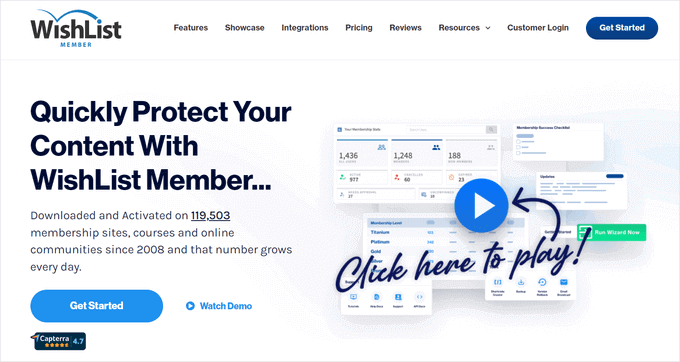
Best for: Creators seeking a fast course builder with gamification and access control.
WishList Member integrates with CourseCure, adding LMS capabilities to a proven membership plugin. It’s quick to launch and adds engagement features like points and badges.
Key Features:
- Fast course setup with pre-made layouts
- Gamified learning experience with badges and points
- Progress tracking and built-in quizzes
- Membership level access controls
- Integration with Elementor, Divi, and payment tools
Why Choose It? You want a lean system that lets you build free or paid courses fast, with built-in engagement boosters.
9. LearnPress – Best Free LMS Plugin with Extendable Features
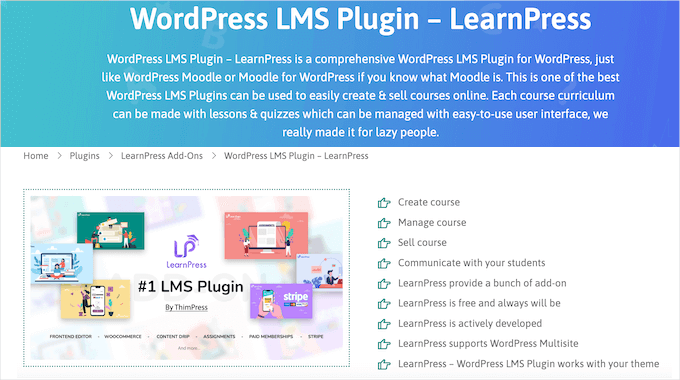
Best for: Educators looking for a free starter LMS with scalable options.
LearnPress is a lightweight, free WordPress LMS plugin that’s surprisingly robust. You can reuse content across multiple courses, export lessons, and sell paid courses using payment gateways.
Key Features:
- Modular course structure
- Reusable quizzes and lessons
- WordPress multisite support
- Add-ons for memberships, drip content, and integrations
- Works well with most WordPress LMS themes
Why Choose It? It’s a budget-friendly way to build an LMS website, with room to grow via premium add-ons.
10. Sensei LMS – Built by the WooCommerce Team

Best for: WooCommerce users who want tight eCommerce + LMS integration.
Sensei LMS, developed by Automattic (makers of WooCommerce), brings a native feel to course creation inside WordPress. It works seamlessly with the WordPress block editor.
Key Features:
- Course creation in the block editor (no third-party UI)
- Multimedia support: slides, galleries, videos
- Real-time messaging and interaction
- Built-in quiz builder and grading tools
- Requires WooCommerce for monetization
Why Choose It? It’s ideal for WooCommerce store owners who want to create and manage courses directly within WordPress.
11. Teachable – Hosted LMS with WordPress Integration
Best for: Users who want to avoid WordPress setup but still link courses.
Teachable isn’t a plugin but a standalone platform. Still, you can link it from your WordPress site and enjoy advanced LMS features, built-in payment handling, and robust analytics.
Key Features:
- Unlimited students and course bundles
- Built-in checkout, affiliate marketing, and upselling
- Analytics and engagement reports
- Hosted for you — no server or plugin management
- Integrates with Zapier, Mailchimp, and more
Why Choose It? You want to skip plugin installation and use a fully hosted platform that connects easily to your site.
How to Choose the Right LMS Plugin for Your Needs
Choosing the right LMS plugin depends on your course type, monetization goal, and audience expectations.
If you’re launching a single course or just starting an online coaching business, look for a plugin with a simple setup and built-in course creation tools like quizzes and certificates. For large libraries or multiple courses, you’ll need a scalable builder with tracking, progress reports, and student engagement features.
Planning to sell courses online? Make sure the LMS supports recurring payments, bundles, and flexible course revenue models. You’ll also want built-in marketing tools or easy integration with CRMs.
Gamification, interactive quizzes, and learning experience boosters like certificates can improve retention, especially if your audience prefers self-paced learning.
Ultimately, your decision should be based on how well the WordPress plugin aligns with your goals, content structure, and business model.
Integrations and Compatibility
A solid LMS plugin doesn’t just work on its own — it connects seamlessly with other tools. The best plugins support WooCommerce integration for selling, email marketing platforms like Brevo or Mailchimp, and Google Classroomfor educational workflows.
Some even work with BuddyPress to build communities or forums around your courses. Hosting matters too, so make sure your plugin is compatible with your web hosting provider and optimized for the WordPress platform.
For advanced monetization, integrations with Paid Memberships Pro allow you to set up flexible access rules and subscription levels.
Final Thoughts: Build Your LMS Website with Confidence
Whether you’re building your first course or expanding your online academy, these best LMS plugins offer the tools you need to succeed. Many have free versions to test before committing to premium features.
Start by outlining your goals, pick a plugin that aligns with your needs, and don’t forget to test for compatibility with your WordPress LMS theme. The right setup can turn your site into a professional LMS website with the ability to teach the same course to thousands worldwide.
With the right tools in place, your journey in online education begins today.

