

Online directories are no longer just simple lists of businesses. Today, they function as discovery platforms where users compare options, read reviews, explore locations, and decide who they trust. From local service listings to niche marketplaces and professional networks, directory websites play a central role in how people search and connect online.
WordPress makes building these platforms accessible, but the real power comes from choosing the right directory plugin. A strong plugin does more than display listings. It structures data, improves search accuracy, supports user submissions, and creates a smooth experience for both visitors and listing owners. When done right, a directory website can scale, attract consistent traffic, and generate recurring revenue.
However, not all directory plugins are built for long term growth. Some struggle with performance, while others lack flexibility or monetization support. Choosing the wrong tool early can limit what your directory becomes later.
This guide breaks down the best WordPress directory plugins available today. Each option is selected based on real world usability, scalability, and flexibility. Whether you are building a focused niche directory or a large listing platform, this list will help you choose a solution that grows with your vision.
What Is a WordPress Directory Plugin and How It Works
A WordPress directory plugin is a tool that turns a standard WordPress website into a structured listing platform. Instead of publishing regular blog posts or pages, these plugins allow you to create organized entries called listings. Each listing can represent a business, service, person, place, or resource, depending on the type of directory you are building.
At the core, a directory plugin works by creating custom content types and categories. This makes it possible to group listings by location, industry, service type, or any criteria that matters to your audience. Custom fields add more depth by storing details such as contact information, pricing, operating hours, images, and descriptions.
Most directory plugins also support frontend submissions. This means users or businesses can add and manage their own listings without accessing the WordPress admin area. Moderation tools allow site owners to review submissions before publishing, keeping quality under control.
Search and filtering are another essential part of how directory plugins function. Visitors can quickly narrow results based on keywords, location, categories, or other attributes. When combined, these elements create a searchable, scalable system that feels intuitive for users and manageable for site owners.
Best Free and Premium WordPress Directory Plugins
The right directory plugin defines how well your listings scale, how easy they are to manage, and how users interact with your platform. Below is a curated mix of free and premium WordPress directory plugins chosen for flexibility, performance, and long term reliability.
GeoDirectory

GeoDirectory is one of the most scalable and extensible directory plugins for WordPress. It is suitable for building small local directories or global multi location directory platforms. You can customize categories, fields, and search filters to match your niche. User friendly frontend submission tools let business owners add and update their listings without WordPress backend access. The plugin also supports bulk import and export via CSV, SEO friendly listing pages, and performance optimization for high traffic sites. Developers can use hooks and filters for deeper customization. With premium add-ons, GeoDirectory can grow with your project.
Key Features
- Multi location directory support
- CSV import and export
- Custom listing fields and categories
- Frontend submission and editing
- SEO friendly listing pages
- Developer hooks and filters
- Extended add-ons for payments and analytics
HivePress

HivePress is a powerful yet easy to use WordPress directory and listing plugin. It supports a wide range of directory types including business listings, real estate, service marketplaces, and job boards. The core plugin is lightweight and free, with optional paid extensions to add advanced functionality. HivePress lets you create custom fields, tags, and categories for tailored listings. It integrates with Google Maps so users can search by location and see listings on interactive maps. Monetization options include paid listings, featured ads, and commission based earnings. Users can submit and edit listings from the frontend and leave reviews to boost engagement.
Key Features
- Customizable listing fields, tags, categories
- Google Maps integration
- Frontend submission and editing
- Paid listing and featured ad support
- Review and rating system
- Commission based monetization options
- Works with most WordPress themes
Sabai Directory

Sabai Directory is a premium WordPress plugin designed to create professional directory platforms. It is ideal for business directories, restaurant listings, service providers, and local search sites. Sabai Directory provides smart search and filtering with proximity based results that let users find nearby listings. It integrates seamlessly with Google Maps for interactive location browsing. Users can add photos and media to listings, and visitors can leave reviews and ratings. The frontend submission workflow ensures easy listing management. Admins also benefit from notification tools, customizable layouts, and spam moderation features. Sabai Directory focuses on user experience with intuitive design and engaging listing presentation.
Key Features
- Proximity based smart search filters
- Google Maps integration
- User generated reviews and ratings
- Media support for listing galleries
- Frontend submission forms
- Email notifications
- Customizable templates
Classified Listing by RadiusTheme

Classified Listing by RadiusTheme helps you build classifieds and directory websites with ease. It is well suited for marketplaces where users post ads or listing style content. The plugin offers frontend posting tools so users can submit and manage ads without WordPress backend access. On the admin side, there are extensive customization options for fields and categories to match your niche. You can enable paid ad submissions and premium upgrades for monetization. The design is fully responsive so classifieds look great on all devices. Search and filter tools help visitors find what they need quickly. White label integrations allow admin branding for clients or partners.
Key Features
- Frontend ad posting and account management
- Unlimited ad categories
- Backend customization controls
- Responsive layout
- Paid ads and premium upgrades
- Advanced filters for refined search
- White label support
Business Directory Plugin

Business Directory Plugin is a beginner friendly and flexible WordPress directory solution. It provides essential listing features in the free version, and premium add-ons extend capabilities based on your needs. You can create customized form fields to collect business details that matter to your niche. The plugin supports built in payment gateways for monetizing premium listings. Add-ons enable Google Maps integration, listing reviews, featured placements, and more. CSV import tools make bulk uploading and migration easy. The plugin includes protection against spam and options to moderate submissions before publishing. Its intuitive setup makes it a great option for community directories, professional listings, and business databases.
Key Features
- Customizable listing form fields
- Built in payment gateways
- Google Maps add-on support
- Listing reviews and featured options
- CSV import and export
- Spam protection and moderation
- Easy to configure
Advanced Classifieds and Directory Pro
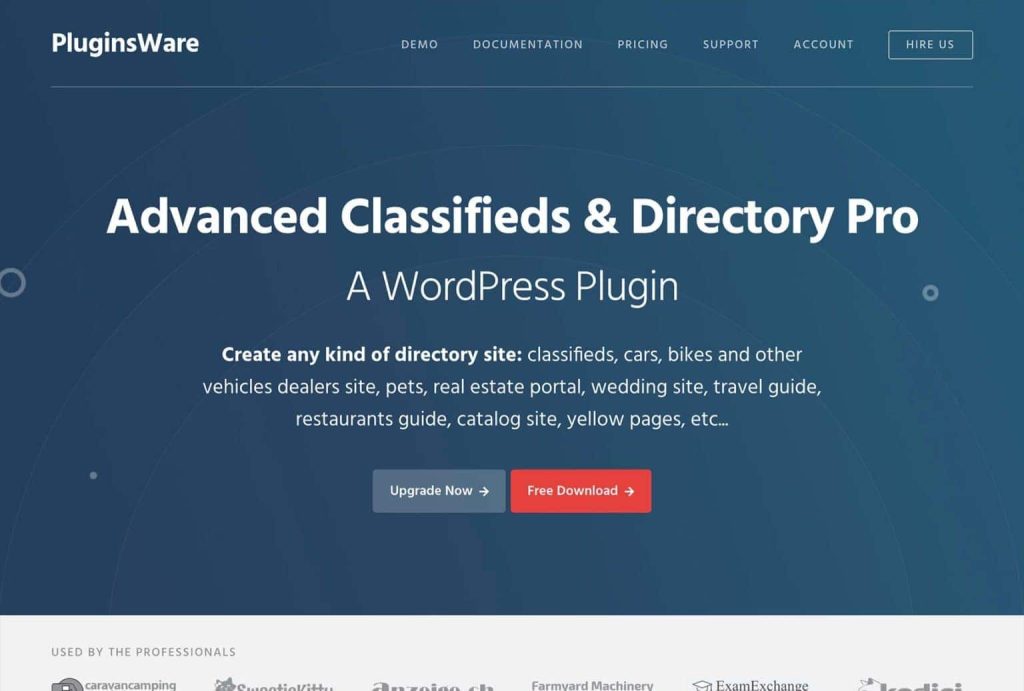
Advanced Classifieds and Directory Pro is a comprehensive WordPress plugin for creating niche directories and classified sites. It works well for real estate directories, job boards, local services, and product listings too. The plugin lets you define unlimited custom fields for detailed listings and tailored search behavior. A frontend dashboard lets users manage their listings without backend access. Integrated payment gateways such as Stripe and PayPal allow monetization with premium plans and featured listing options. Powerful search filters help visitors narrow results by category, location, price, or custom criteria. The plugin is translation ready, making it suitable for global audiences. SEO readiness and responsive design ensure listings perform well on search engines and mobile screens alike.
Key Features
- Unlimited custom listing fields
- Frontend user dashboards
- Multiple payment gateway support
- Advanced search filters
- Translation ready
- SEO friendly structure
- Responsive design
Connections Business Directory

Connections Business Directory is a versatile WordPress plugin focused on structured business and contact listings. It is ideal for internal directories, community lists, professional networks, and small business directories. The plugin lets you create repeatable fields for contact details, email addresses, phone numbers, and social profiles. CSV import and export tools make bulk management easy. The plugin also supports anniversaries and birthdays so you can maintain rich directory profiles. With built in developer tools and API support, you can extend functionality and integrate with other tools. Themes and plugins work seamlessly with Connections for flexible display options. This plugin is popular for employee directories, membership lists, and association sites.
Key Features
- Repeatable contact and business fields
- CSV import and export
- Birthday and anniversary fields
- Developer friendly API support
- Theme integration support
- Custom categories
- Flexible layout options
Directories Pro

Directories Pro is a premium WordPress directory plugin ideal for building professional directory websites with monetization in mind. It offers a rich feature set including advanced filters that let visitors sort listings by ratings, location, category, or price. Payment systems such as Stripe and PayPal let you collect fees for listings, featured placements, and subscription plans. The plugin includes multi criteria rating systems that help users leave detailed feedback. Custom Google Maps styling enhances visual presentation. Business owners can manage their listings directly from the frontend dashboard. Directories Pro also supports user bookmarks and quick search functionality. This plugin is well suited for business listings, service marketplaces, and niche directories where both design and revenue tools matter.
Key Features
- Advanced interactive filters
- Stripe and PayPal payment support
- Multi criteria rating systems
- Custom Google Maps styles
- Frontend dashboard tools
- Bookmark friendly listings
- Quick search
Name Directory
Name Directory is a lightweight, easy to use WordPress plugin built for simple directory needs. It is ideal for glossaries, employee or member directories, lists of terms, and internal company resource pages. The plugin supports shortcode based placement so you can embed directories anywhere on your site. Bulk import features let you quickly add data from CSV files. Custom search and suggestion tools help visitors find names or terms fast. Name Directory also supports multiple directories on a single site so you can separate lists by type if needed. Its minimalist design keeps performance strong and setup quick. If your focus is straightforward lists rather than complex business profiles, Name Directory gives just what you need without overkill.
Key Features
- Shortcode support for easy embedding
- Bulk CSV import
- Simple search and suggestion features
- Support for multiple separate directories
- Lightweight and fast
- Minimalist design
- Works for internal or external sites
LDD Directory Lite

LDD Directory Lite is a beginner friendly WordPress directory plugin focused on simplicity and functionality. It lets you create clean directory listings quickly with minimal setup. Instant directory creation through shortcodes means you can display listings on any page without complex configuration. The plugin supports social media links and Google Maps integration so users can connect directly and see locations visually. Email notifications alert you when new listings are submitted or updated. It also includes extension support for reviews and social login features. With easy to customize layouts, you can match directory design to your brand quickly. LDD Directory Lite is ideal for community directories, event listings, service providers, or organization hubs where essential features matter more than complexity.
Key Features
- Shortcode based directory placement
- Google Maps integration
- Email notifications for updates
- Social media links for listings
- Extension support for reviews
- Easy to customize layouts
- Quick setup
Toolset Directory

Toolset Directory provides powerful building blocks for creating advanced directories without writing code. It works with custom post types and taxonomies to let you structure listings exactly how you want. The plugin integrates with popular tools like Elementor, WooCommerce, and WPML for multilingual support. Advanced filtering with AJAX updates ensures users can refine search results without page reloads. Multiple layout options such as grids, lists, and maps let you design a directory that matches your audience. Toolset Directory is responsive and built to handle complex content structures. Its no code approach helps both beginners and developers build directories with depth. Use Toolset Directory for business directories, product listings, service marketplaces, and more complex listing environments.
Key Features
- Custom post types and taxonomies
- Elementor integration
- AJAX powered advanced filters
- Multiple layout options
- WooCommerce and WPML support
- Responsive design
- No code directory building
Web 2.0 Directory

Web 2.0 Directory is a feature rich WordPress directory plugin that supports a variety of listing types including classifieds, business directories, and event listings. It integrates with Google Maps so visitors can search by location and view maps directly. You can enable frontend submission and editing so users contribute listings without needing backend access. The plugin also supports YouTube video uploads, file attachments, and custom logos for richer listing pages. Visitors can save favorites or download listings as PDFs for offline use. Advanced user role management gives administrators control over who can post and edit content. Monetization features allow paid listing submissions so you can generate revenue. Web 2.0 Directory combines visual flexibility with practical tools, making it suitable for directories focused on media rich content and user interaction.
Key Features
- Google Maps integration
- Frontend submission and editing
- Video and file attachments
- Save favorites and download PDFs
- Custom logos for listings
- User role management
- Paid listing support
Why Branding and Asset Consistency Matter for Directory Websites
As directory websites grow, branding becomes more than just a logo or color choice. Each listing adds new images, icons, category visuals, banners, and promotional assets. Without a clear system, directories quickly become visually inconsistent. This inconsistency can reduce trust, especially when users compare listings side by side.
Strong branding helps a directory feel credible and reliable. When layouts, listing images, and category visuals follow a consistent style, users navigate with confidence. Businesses listed on the platform also benefit because their information appears within a polished and professional environment. This improves perceived value for both free and paid listings.
Asset consistency also affects internal operations. Teams managing a directory often juggle marketing campaigns, listing approvals, seasonal promotions, and platform updates. When assets are scattered across folders or shared informally, mistakes happen. Outdated logos get reused, incorrect visuals go live, and updates take longer than they should.
A well managed directory treats branding as part of the infrastructure. Organized assets, clear usage rules, and consistent presentation help the platform scale smoothly while maintaining trust and visual clarity.
How Brandy Helps Directory Platforms Stay Organized and On Brand

Managing a growing directory means handling far more than listings alone. Each platform relies on logos, listing images, category icons, promotional banners, social visuals, and brand guidelines. As the directory expands, keeping these assets consistent becomes harder without a centralized system.
Brandy helps directory platforms organize all brand assets in one place. Teams can store approved logos, listing visuals, campaign graphics, and design references so everyone works from the same source. This reduces confusion and prevents outdated or incorrect assets from being used across the site.
For directories with multiple contributors, Brandy improves collaboration. Marketing teams, designers, and content managers can quickly find the right assets without digging through folders or requesting files repeatedly. Updates become faster, and brand consistency is easier to maintain across listings, landing pages, and promotional content.
Brandy also supports long term scalability. As new categories, regions, or listing types are added, visual standards stay intact. This helps directory platforms grow without losing clarity, trust, or brand recognition.
Final Thoughts: Choosing the Right WordPress Directory Plugin
Building a successful directory website starts with choosing a plugin that matches both your current needs and your long term goals. Some directories stay small and focused, while others evolve into large platforms with thousands of listings, contributors, and visitors. The plugin you choose sets the foundation for how smoothly that growth happens.
The best WordPress directory plugins offer flexibility without unnecessary complexity. They support structured listings, intuitive search, frontend submissions, and reliable performance as traffic increases. Just as important, they allow you to maintain a consistent experience as your platform expands.
Beyond functionality, strong organization and branding play a critical role in long term success. A directory that looks polished, stays consistent, and is easy to manage earns trust faster and keeps users engaged longer.
With the right tools in place, a directory website becomes more than a collection of listings. It becomes a reliable platform that users return to and businesses value being part of.

