
Most marketing teams do not talk about workflow architecture. They talk about late campaign launches, inconsistent visuals across regions, and teams repeatedly asking for the same logo or template. They notice social posts that go live slightly off brand or presentations that look different from last quarter’s deck.
These feel like everyday operational annoyances. Small issues. Temporary setbacks. But behind nearly every one of these problems sits a much bigger root cause: disconnected content creation workflows.
When strategy lives in one tool, design happens in another, approvals happen over email, and assets are scattered across multiple drives, friction becomes unavoidable. Each handoff slows progress, increases risk, and weakens consistency across the entire content lifecycle.
Over time, this friction quietly chips away at brand trust, brand clarity, and brand momentum. What looks like an efficiency problem on the surface is actually a brand infrastructure problem underneath.
This article explores how fragmented workflows damage content performance, where the real business costs show up, and what connected workflows look like in practice for modern marketing and brand teams.
What a Content Creation Workflow Really Includes Today?
Many organizations still picture content workflows as a simple sequence where someone writes, someone designs, someone approves, and someone publishes. That linear view no longer reflects how content is actually created inside modern organizations.
Today, a content creation workflow is a multi layer system made up of planning, production, review, and distribution environments. Each layer has its own tools, stakeholders, and dependencies. When those layers operate in isolation, even strong teams struggle to move quickly or consistently.
Strategy And Planning Layer
This is where content direction is defined. Campaign goals, audience segments, messaging frameworks, keyword research, editorial calendars, and content briefs all live here. These documents shape every asset that follows.
When planning tools are disconnected from creation tools, important context gets lost. Writers may not see updated positioning, designers may miss campaign objectives, and local teams may never access the original brief. Creation starts without a shared understanding of what success looks like.
Creation And Production Layer
This layer includes design software, video editing tools, writing environments, presentation builders, and template systems. Creators rely on these tools daily to turn ideas into tangible assets.
If templates, brand guidelines, and approved visuals live outside these environments, creators are forced to jump between systems, download and reupload files, or recreate materials manually. What feels like minor friction in a single task becomes hours of lost productivity across an organization.
Review And Approval Layer
Every piece of content passes through some form of marketing, brand, legal, or regional review. In disconnected workflows, feedback often arrives through email threads, chat messages, or scattered documents.
This fragmentation leads to version confusion, conflicting comments, and delayed sign off. Teams spend more time managing feedback than improving the quality of the work itself.
Storage And Distribution Layer
Finished assets need a reliable home where teams can find, reuse, and distribute them confidently. In many organizations, assets are scattered across shared drives, cloud folders, agency systems, and personal accounts.
When storage is fragmented, searching becomes a daily activity. Teams waste time hunting for files instead of creating new value, and they often settle for whatever they can find first.
A content creation workflow is not one system. It is an ecosystem. When that ecosystem is disconnected, friction becomes embedded in everyday work.
Why Disconnected Tools Create Hidden Friction Across Teams?
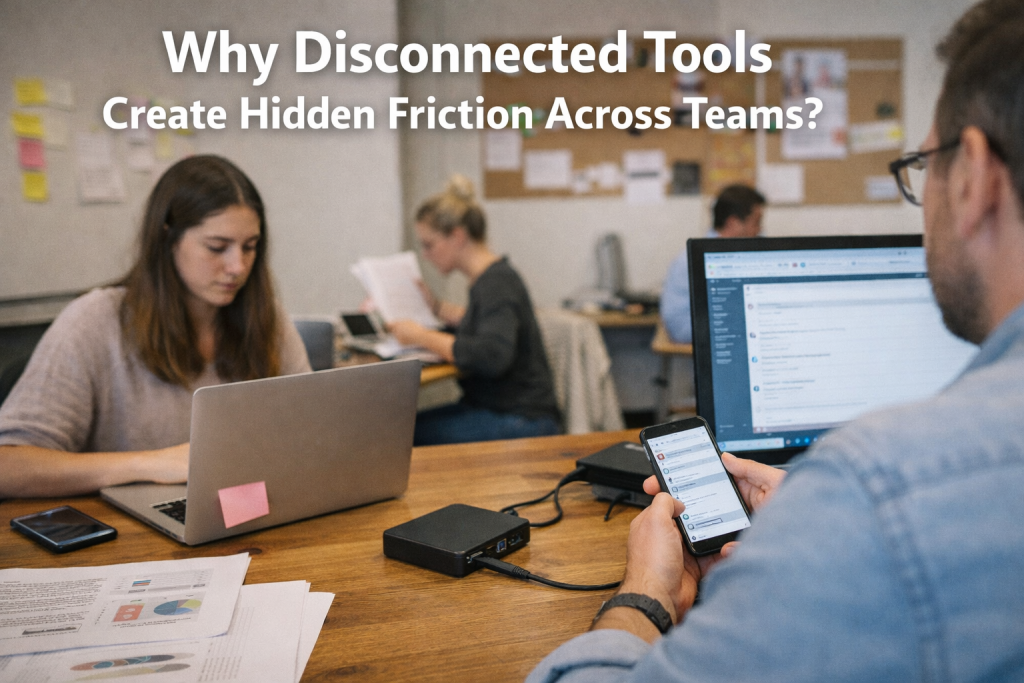
Workflow problems rarely appear overnight. They accumulate gradually as teams adopt new tools to solve immediate needs. A designer chooses software that speeds up production. A social team selects a scheduling platform. A regional office stores files locally for convenience. An agency uses its own asset library.
Each decision makes sense in isolation. Together, they create silos.
When tools do not connect, teams rely on manual handoffs. Files are downloaded, uploaded, renamed, and emailed between platforms. Feedback is copied from one place to another. Approvals happen without full context.
Every manual step introduces risk. Files get overwritten. Old versions resurface. Feedback is missed. Approvals happen on the wrong draft. Individually, these moments seem minor. Across an organization, they become systemic inefficiencies.
This is not a productivity problem. It is a connectivity problem.
The Real Business Impact of Fragmented Content Workflows
Disconnected workflows do more than slow people down. They directly affect revenue, cost control, and brand strength.
Slow speed to market is often the first visible symptom. Briefs circulate slowly, assets move manually between systems, and approval cycles stretch longer than planned. By the time content goes live, the opportunity may already be fading.
Production costs also rise quietly. When teams cannot find existing assets, they recreate them. New visuals are produced for old campaigns. New templates are built instead of reused. Agencies are paid for work that already exists somewhere inside the organization.
Brand consistency suffers as well. When creators cannot easily access approved logos, typography, imagery, and messaging guidelines, they use whatever is available. This leads to subtle but damaging variation in tone, layout, and visual identity.
Over time, constant friction drains teams. Chasing files, clarifying versions, redoing work, and explaining mistakes becomes part of daily life. Burnout increases. Creativity declines. Turnover rises.
Fragmented workflows quietly tax both people and performance.
How Workflow Gaps Directly Lead to Off Brand Content?
Off brand content rarely happens because someone intentionally ignores guidelines. It happens because access is difficult.
Designers work from outdated logos. Marketers use old templates. Freelancers receive incomplete brand kits. Local teams improvise when deadlines are tight and assets are hard to find.
When approved materials are inconvenient to access, people prioritize speed over precision. They choose the fastest path to get something out the door.
This is why training alone never solves brand inconsistency. You can run workshops and distribute brand books, but if the system makes compliance inconvenient, teams will bypass it.
Brand consistency is enforced through infrastructure, not reminders.
Why More Tools Do Not Equal Better Workflows?
When friction appears, many organizations respond by adding another tool, such as a new review platform, a template manager, a collaboration space, or an additional asset library.
The intention is improvement. The result is often more complexity.
Each additional tool introduces another login, another integration requirement, and another handoff point. Instead of reducing friction, tool sprawl amplifies it.
The solution is not more software. The solution is fewer disconnected systems working together.
Integration Is a Growth Strategy, Not an IT Project
Integration is often framed as a technical upgrade. For marketing and brand leaders, it is a growth enabler.
When tools are connected, creators stay inside their preferred environments and pull approved assets instantly. They no longer waste time switching platforms or searching for files.
Templates and brand elements are always tied to standards, so every new asset starts from a compliant foundation. Local and external teams can create content independently without risking brand integrity.
Everyone works from a single source of truth. There is no guessing which version is final and no chasing links across email threads.
Integration removes friction so teams can scale content production without sacrificing brand control.
What a Connected Content Workflow Looks Like in Practice?

A connected content workflow removes friction by design. Instead of moving work manually between tools, systems share context and assets automatically. Teams no longer think about where something lives or who has the latest version because the workflow handles that behind the scenes.
A strategist starts by creating a campaign brief that already links to approved messaging, templates, and visual guidelines. Designers open those templates directly inside their design tools, knowing they are working from the latest brand approved foundation. Writers reference the same messaging framework while drafting copy, without needing separate documents or screenshots.
As assets are created, they are saved back to a central brand system automatically. Feedback happens in context, not across scattered emails. Approvals follow clear rules instead of informal requests. When content is ready to publish, teams know exactly which version is final and compliant.
The difference is not just speed. It is confidence. Teams move faster because they trust the system.
Why Connected Workflows Change and How Teams Work Together?
Disconnected workflows force teams to coordinate constantly. Connected workflows reduce the need for coordination altogether.
When creators, marketers, and brand managers work from the same source of truth, alignment happens naturally. There is less back and forth because expectations are clear from the start. Review cycles shrink because fewer issues need fixing late in the process.
Local teams benefit just as much. Instead of waiting for approvals or requesting assets repeatedly, they can self serve content safely. They know which templates to use, which visuals are approved, and which messages are current. This autonomy increases output without increasing risk.
Connected workflows replace constant oversight with built in guardrails. Teams feel trusted, and brands stay protected.
The Capabilities That Make Connected Workflows Possible
Connected workflows are not about adding complexity. They rely on a few essential capabilities working together.
A central brand system acts as the single source of truth. Brand guidelines, templates, approved assets, and messaging frameworks all live in one place that teams trust. When updates happen, everyone sees them instantly.
Deep integrations connect that system to the tools people already use. Designers do not need to leave their creative software. Marketers do not need to hunt through folders. Assets appear where work happens.
Permissions and access rules ensure the right people see the right materials. Local teams can create content without accessing sensitive originals. External partners receive exactly what they need and nothing more.
Strong version control ensures clarity. Teams always know which asset is current, what changed, and who approved it. This transparency eliminates confusion and reduces rework.
How Connected Workflows Protect Brand Compliance At Scale?
Brand compliance often gets framed as a restriction. In reality, it becomes easier when workflows are connected.
Templates act as the first layer of control. When creators start from approved layouts and structures, compliance happens by default. Visual drift becomes far less likely.
Approved asset libraries reduce risk further. Teams do not download logos from old folders or reuse outdated imagery because current versions are always accessible. When something is updated or retired, the change applies everywhere.
Automated rules and permissions provide oversight without slowing teams down. Compliance checks happen quietly in the background instead of at the final approval stage. This reduces last minute corrections and keeps campaigns on schedule.
Connected workflows make compliance feel invisible rather than burdensome.
The Long Term Impact of Fixing Workflow Disconnects
Organizations that invest in connected workflows see changes beyond individual campaigns.
Speed to market improves because fewer steps require manual coordination. Content output increases without increasing headcount. Costs drop as reuse becomes the norm rather than the exception.
Brand consistency strengthens over time. Customers encounter the same visual and verbal identity across channels, regions, and formats. Trust builds gradually but steadily.
Teams feel the difference as well. Work becomes calmer. Fewer emergencies arise. Creativity improves when people are not constantly fixing avoidable issues. Retention improves because frustration declines.
Workflow design becomes a competitive advantage rather than an operational headache.
How Brandy Supports Connected Content Workflows?

Brandy is built to act as the central layer that connects brand, content, and creation. It gives teams a single place to manage brand guidelines, approved assets, templates, and messaging without forcing them to change how they work.
By serving as a source of truth, Brandy ensures that everyone works from the same foundation. Designers, marketers, agencies, and local teams all access consistent materials aligned with brand standards.
Brandy integrates into existing workflows rather than replacing them. Teams stay inside their preferred tools while pulling approved assets and templates directly into their work. Updates propagate automatically, reducing manual coordination.
The result is clarity instead of chaos. Control without bottlenecks. Scale without brand dilution.
Getting Started Without Rebuilding Everything
Fixing workflow disconnects does not require a full overhaul. Most organizations start by identifying where friction appears most often. Missing assets, inconsistent templates, slow approvals, or repeated rework are strong signals.
From there, teams define a single source of truth for brand materials. Core assets, templates, and guidelines move into one trusted system. Integrations are added gradually, starting with the tools used most often.
As adoption grows, workflows become smoother without disruption. The focus stays on outcomes rather than tools. Speed improves. Consistency follows.
Your Workflow Is Your Brand Infrastructure
Content quality is not determined only by talent or tools. It is shaped by the systems that support everyday work.
Disconnected workflows introduce friction that slows teams down, increases costs, and weakens brand consistency over time. Connected workflows remove that friction and replace it with confidence, clarity, and scale.
When your workflow supports your brand instead of working against it, content becomes easier to produce, easier to govern, and easier to grow.
That is not an operational upgrade. It is a strategic one.

