

The gap between designers and developers has always existed. Designers think in visuals, interactions, and user experience, while developers think in logic, structure, and performance. When a project moves from design to development, that gap becomes visible in the form of missing details, wrong spacing, broken layouts, or unclear specifications. This transition phase is known as design handoff, and it is one of the most critical stages in any digital product workflow.
As digital products become more complex and teams grow across locations, design handoff is no longer a simple file transfer. It now involves precise measurements, assets, components, design tokens, and real time collaboration. Without the right handoff tools, teams often face delays, repeated revisions, and costly misunderstandings.
This is where modern design handoff tools make a real difference. They help designers communicate their intent clearly and enable developers to build exactly what was designed. In this guide, we explore the best design handoff tools for designers and developers in 2025, along with how they improve speed, accuracy, and collaboration across teams.
What Is Design Handoff
Design handoff is the process where designers transfer their finished design work to developers so it can be turned into a functional product. This step usually happens after the design has been reviewed, tested, and approved by stakeholders. At this point, the creative phase slows down and the technical build begins.
In simple terms, design handoff is the moment when visual ideas become real, working interfaces. Designers share layout details, spacing, typography, colors, components, interactions, and behavior guidelines. Developers then use these specifications to write clean, accurate code for websites, web apps, or mobile applications.
The challenge with design handoff is that designers and developers operate in two different worlds. Designers work with pixels and user experience, while developers work with logic, frameworks, and performance. Without proper tools, this gap often leads to confusion, repeated questions, wrong implementations, and delays.
Modern design handoff tools solve this problem by converting design files into structured, developer ready specifications. They allow developers to inspect layouts, copy measurements, download assets, and even extract code snippets. Instead of guessing how a design should behave, developers get everything they need in a clear and organized format.
A strong design handoff process ensures that what gets built matches what was designed, without friction, guesswork, or unnecessary back and forth.
Top 10 Design Handoff Tools for Designers and Developers
Design handoff tools play a vital role in turning static designs into functional products without confusion or rework. The right tool helps designers share precise specifications while giving developers direct access to assets, spacing, typography, and code references. Below is a curated list of the top design handoff tools used by modern product teams to streamline collaboration and speed up development.
Each tool listed below is reviewed for real world usability, integration support, team collaboration features, and developer readiness.
1. Figma Dev Mode
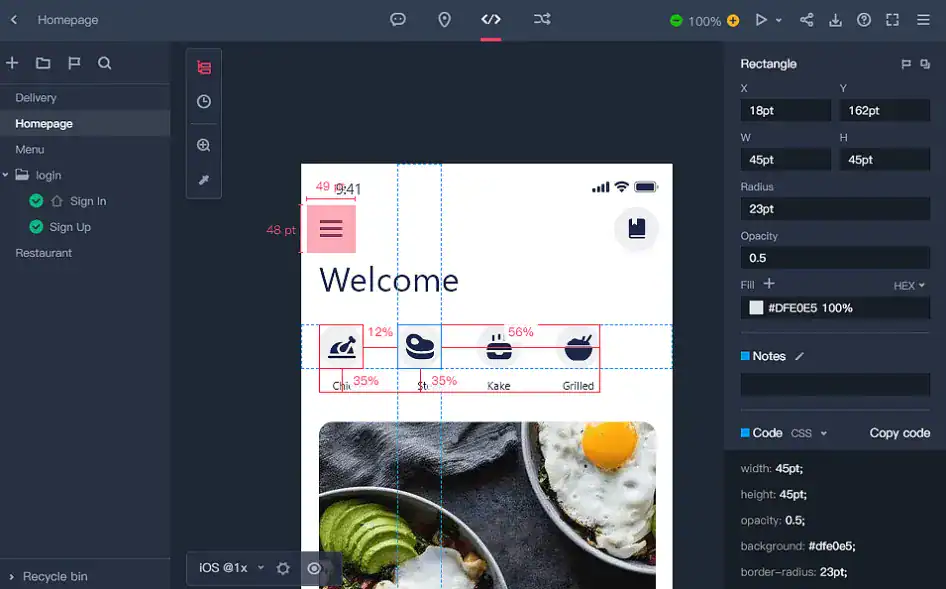
Figma Dev Mode is a native handoff environment built directly into the Figma platform. It allows developers to access code references, inspect spacing, and export assets in real time from the same file designers work in.
Developers can toggle into Dev Mode to view CSS, iOS, and Android values, compare versions, and track design changes without switching tools. Since Figma is cloud based, everything updates instantly across teams.
Dev Mode removes the need for third party handoff tools for many teams.
Best Use Case: Real time design developer collaboration
Key Strengths:
- Live inspection
- Direct access from design files
- No external exports required
Limitations:
- Advanced Dev Mode requires paid plans
Ideal For: Modern remote design teams
2. Zeplin
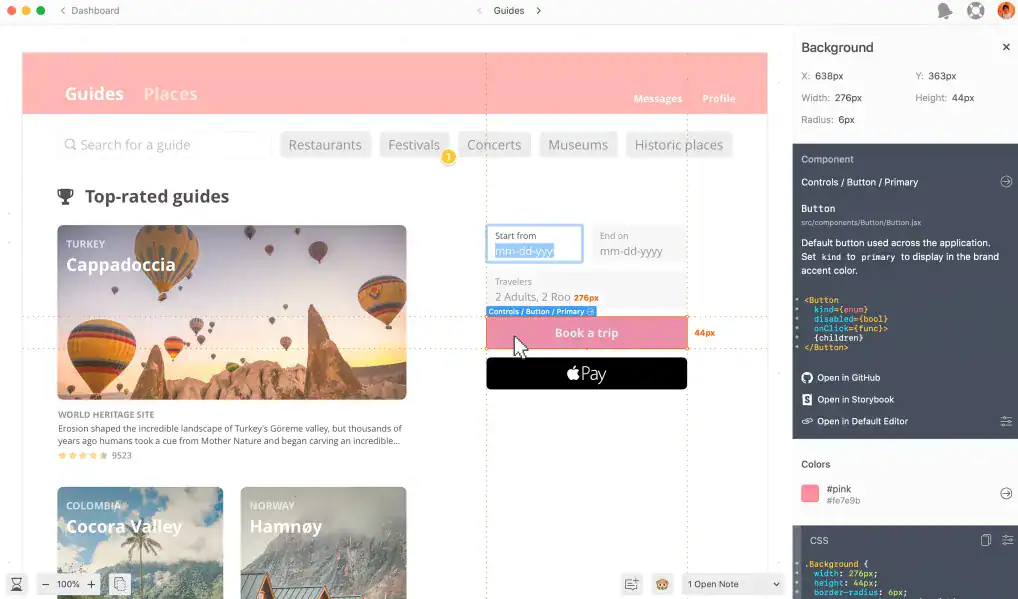
Zeplin is one of the most widely adopted design handoff tools, known for its clean interface and strong developer focused features. It acts as a bridge between popular design tools and development environments.
Designers can export designs from Figma, Sketch, Adobe XD, and Photoshop into Zeplin where all styles, colors, typography, and assets are automatically translated into developer readable specs. Developers can inspect layouts, extract CSS values, and download assets in multiple resolutions.
Zeplin also integrates smoothly with tools like Jira, Slack, and Trello, allowing handoff to fit into existing project workflows.
Best Use Case: Precise design to code translation
Key Strengths:
- Accurate spacing and style extraction
- Strong collaboration features
- Wide platform support
Limitations:
- Limited prototyping features
- Requires subscription for larger teams
Ideal For: UI designers and front end developers
3. Avocode

Avocode is a design inspection and collaboration tool built primarily for development teams that need quick access to design specifications without heavy design software dependency.
It supports designs from Figma, Sketch, Adobe XD, and Photoshop and allows developers to inspect files even without having the original design tool installed. One of its key advantages is cross platform availability including Linux support.
Avocode also supports version control, team discussions, and design comparison which helps teams track changes efficiently.
Best Use Case: Cross platform design inspection
Key Strengths:
- Linux support
- Version history
- CSS and asset export
Limitations:
- Limited advanced prototyping
- Interface feels technical for non developers
Ideal For: Distributed product teams
4. Marvel
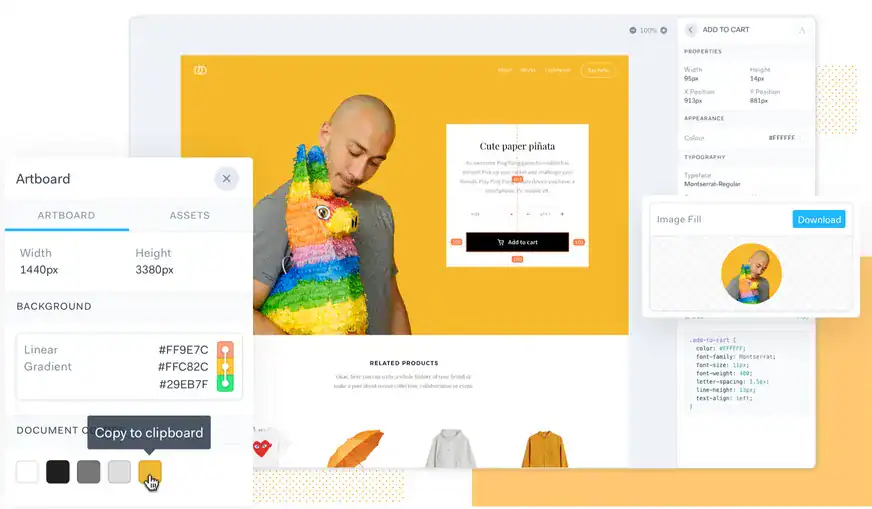
Marvel is a simple and easy to use design and prototyping platform that also offers a built in handoff experience. It is known for its beginner friendly interface and fast learning curve.
Designers can sync designs from Sketch or upload files directly to Marvel. The platform automatically generates specs, assets, and CSS code for developers to inspect and export. It keeps all updates synchronized in real time.
Marvel focuses on simplicity rather than deep customization which makes it suitable for fast moving projects.
Best Use Case: Quick prototype to developer handoff
Key Strengths:
- Very easy to use
- Live syncing
- Clean UI
Limitations:
- Limited enterprise level features
- Fewer integrations than competitors
Ideal For: Startups and small design teams
5. Sympli
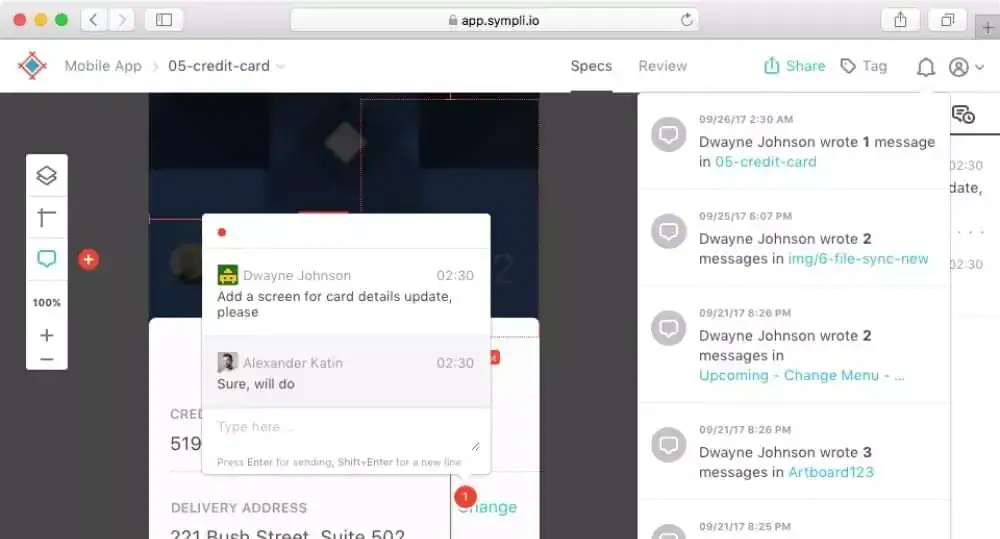
Sympli is a powerful handoff platform built with deep developer integration in mind. It supports Sketch, Figma, Adobe XD, and Photoshop while connecting seamlessly with development tools.
One of its standout features is IDE integration with Xcode and Android Studio which allows developers to view design specs directly inside their development environment. It also integrates with Jira, Slack, Azure Boards, and Microsoft Teams.
Sympli also supports version control and collaborative commenting for continuous feedback.
Best Use Case: Enterprise level design to development workflows
Key Strengths:
- Direct IDE integration
- Strong project management integrations
- Advanced collaboration
Limitations:
- Mac focused advanced tools
- Pricing may be high for small teams
Ideal For: Large development teams and enterprises
6. InVision
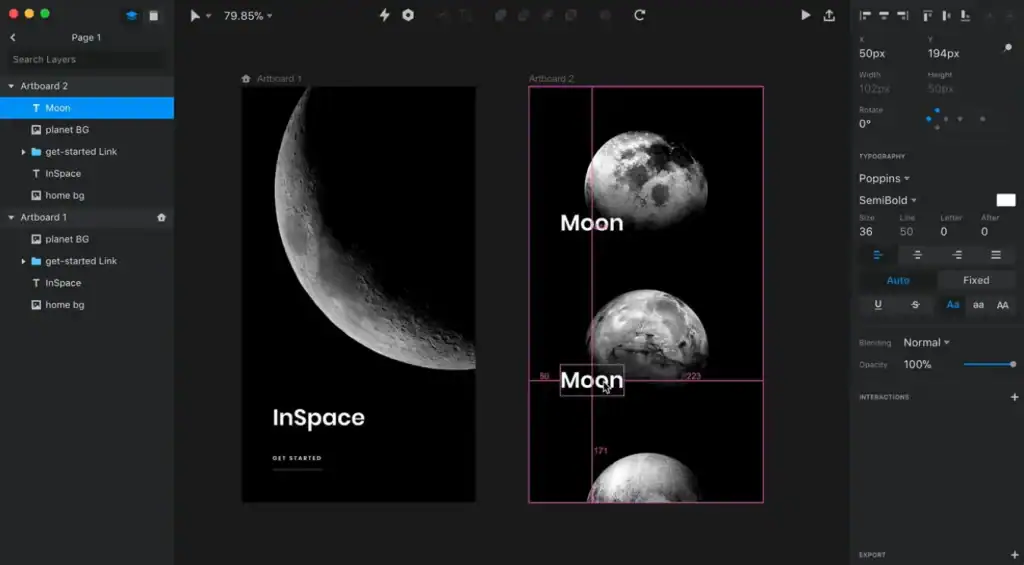
InVision is a full product design and collaboration platform that includes strong design handoff capabilities alongside prototyping and workflow management.
Using its Craft plugin, designers can sync files directly from Sketch and Photoshop into InVision. Developers can then inspect specs, explore layouts, download assets, and generate accurate CSS values.
InVision integrates with popular tools such as Jira, Storybook, Trello, and Confluence, helping teams align handoff with project management.
Best Use Case: End to end product design workflows
Key Strengths:
- Powerful syncing via Craft
- Strong collaboration features
- Broad integration ecosystem
Limitations:
- Interface can feel heavy
- Some features locked behind higher plans
Ideal For: Product design teams working at scale
7. Mockplus Cloud
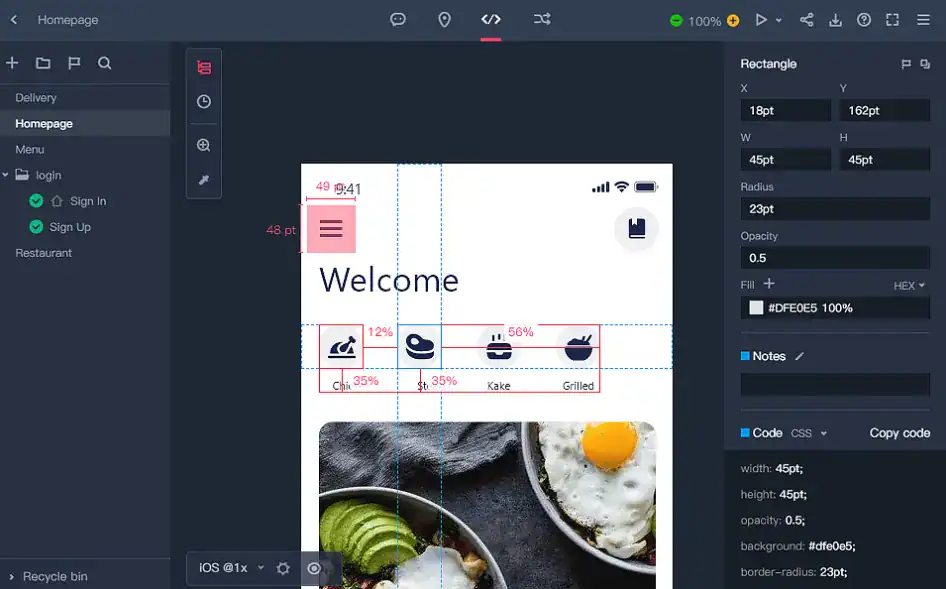
Mockplus Cloud is an all in one design collaboration and handoff platform built to bridge the gap between designers and developers in a single workspace. It supports both prototyping and full handoff, allowing teams to manage the entire workflow from wireframes to developer ready specifications.
Designers can import files directly from Figma, Sketch, Adobe XD, and Photoshop. Once uploaded, Mockplus Cloud automatically generates design specs such as spacing, measurements, color values, assets, and code snippets. These can be shared with developers through a single secure link.
Developers can inspect layouts, copy specs, download assets, and view platform specific code without requesting separate files. The platform also supports design systems, allowing teams to maintain consistent components, colors, and typography across projects.
Best Use Case: Teams that need prototyping and handoff in one platform
Key Strengths:
- Automatic spec generation
- Design system support
- Simple developer access
- Cross platform compatibility
Limitations: Advanced features require paid plans
Ideal For: Product teams and cross functional design development teams
8. Adobe XD
Adobe XD is a vector based design and prototyping tool that includes built in design handoff features for developers. Designers can share links that include specs, measurements, downloadable assets, and CSS snippets.
It integrates tightly with other Adobe products and supports real time collaboration, responsive design tools, and repeat grids. Developers can leave comments directly inside the shared prototype.
Adobe XD works well for teams already invested in the Adobe ecosystem.
Best Use Case: Adobe focused design teams
Key Strengths:
- Built in handoff
- Strong creative cloud integration
- Live collaboration
Limitations:
- Limited Linux support
- Declining third party plugin ecosystem
Ideal For: Creative agencies using Adobe tools
9. Framer
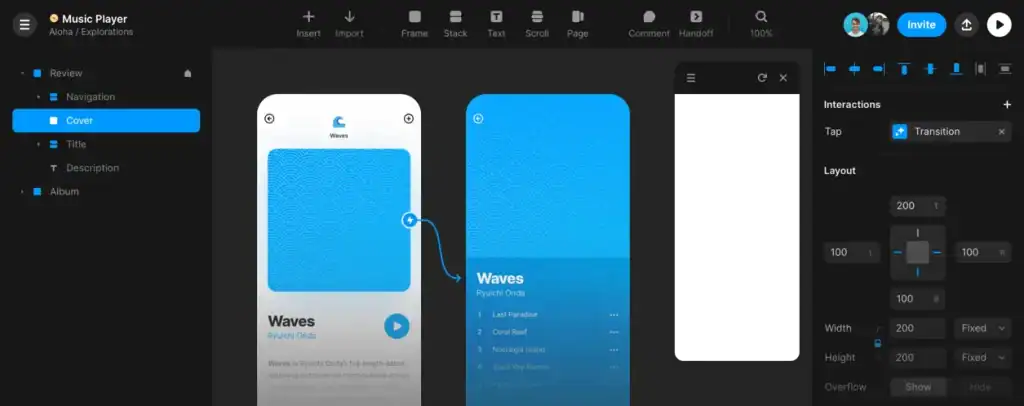
Framer is a design and prototyping platform that focuses heavily on interactive and production ready designs. It allows designers to create working prototypes using components and real layout logic.
Developers can directly inspect CSS, HTML, and React based components from Framer. Designs created in Framer behave closer to real websites which reduces the translation gap significantly during handoff.
Framer also integrates with Figma and Sketch for file imports.
Best Use Case: Interactive and component driven design handoff
Key Strengths:
- Real code based components
- Strong animation support
- Live web preview
Limitations:
- Steeper learning curve
- Less suitable for static design workflows
Ideal For: Frontend focused design teams
10. Specctr

Specctr is a lightweight design handoff solution focused primarily on redlining and specification export. It allows designers to generate precise measurements and CSS specs from Sketch and share them with developers.
It also supports browser based CSS preview and cloud based specification sharing. Specctr focuses more on clean documentation rather than full collaboration.
It is best suited for teams that want a dedicated redlining and spec export tool.
Best Use Case: Quick redlining and CSS documentation
Key Strengths:
- Fast spec generation
- Cloud based sharing
- CSS preview support
Limitations:
- Limited collaboration tools
- No prototyping features
Ideal For: Designers working with front end developers on UI heavy projects
Final Thoughts
Design handoff is no longer a simple step at the end of the design process. It has become a core part of how modern digital products are built. When designers and developers work with the right handoff tools, communication becomes clearer, execution becomes faster, and the final product stays true to the original vision.
Each design handoff tool covered in this guide serves a different purpose. Some focus on deep developer inspection, others on real time collaboration, and a few aim to manage the entire design to development workflow in one place. The best tool for your team depends on how you design, build, and scale your products.
By investing in the right design handoff solution, teams reduce rework, avoid misunderstandings, and move from approval to production with confidence. A strong handoff process does not just support better development. It creates better digital experiences.

