
Accessibility is no longer a feature that sits at the bottom of a website checklist. It has become a core part of what makes a digital experience meaningful. With WordPress powering more than 43% of the internet, every website owner shares a real responsibility to ensure their online space is usable for everyone. Many visitors rely on tools that help them read, listen, navigate, or interpret content in their own way. When a site ignores these needs, it closes its doors to a large group of users who want to engage but simply cannot.
This is where WordPress accessibility plugins make a huge difference. They add powerful features that help your site meet global accessibility standards without requiring you to touch complex code. These plugins support visitors with visual, hearing, motor, and cognitive challenges by adding tools that improve clarity, structure, and ease of interaction. Whether you run a business, a blog, or an online store, accessibility brings more trust, better engagement, and stronger reach. In this guide, you will discover how these plugins work and which ones offer the most value for a fully inclusive website.
What WordPress Accessibility Plugins Actually Do and Its Benefits
WordPress accessibility plugins act as a bridge between your website and the users who need a little extra support to navigate the internet. They identify and fix common accessibility issues such as missing alt text, unclear headings, unreadable color combinations, and difficult navigation paths. They also introduce features like text resizing, keyboard navigation, text to speech tools, focus highlights, and high contrast modes. These additions allow visitors to adjust the site according to their needs, creating a smoother and more independent browsing experience.
The real benefit lies in the way these plugins transform usability for every visitor. They help people with disabilities interact with your pages more comfortably, but they also improve the overall user experience for everyone. A site that is easier to read, understand, and navigate naturally performs better. Search engines reward improved structure and accessibility with better visibility. Businesses reduce their legal risks by aligning with global accessibility rules. Most importantly, visitors stay longer, trust the brand more, and feel included in the experience.
Best WordPress Accessibility Plugins for Inclusive Websites
Creating an accessible website begins with choosing plugins that offer reliable features and smooth performance. Below is a refined list of the best WordPress accessibility plugins, each known for its strengths across accessibility support, ease of use, and compliance readiness.
Accessibility Lite
Accessibility Lite is a lightweight solution for improving accessibility without slowing down your site. It automatically fixes missing alt attributes on images, which improves both accessibility and SEO. Visitors can adjust font sizes, switch contrast modes, and use various reading improvements directly from the toolbar. The plugin fits naturally into your existing design because it inherits your default fonts and styling. It is an ideal option for users who prefer a clean and simple tool that focuses on essential accessibility upgrades.
Key Features:
- Automatic alt text repair for images
- Font and contrast adjustments
- Lightweight code for better performance
- Customizable accessibility toolbar
- Compatible with most themes
accessiBe
accessiBe is a powerful accessibility platform designed to help WordPress websites meet global accessibility standards with very little manual work. It uses artificial intelligence to scan your site, identify issues, and instantly make adjustments that support users with visual, cognitive, and motor challenges. Visitors can adjust font sizes, activate high contrast modes, improve spacing, and navigate using only the keyboard. The tool works quietly in the background, updating your site as standards evolve. This makes it very useful for businesses that publish new content often or manage large websites with many pages.
Key Features:
- AI powered accessibility adjustments
- Automatic WCAG compliance support
- Real time scanning and monitoring
- Customizable accessibility interface
- Strong support for visually and cognitively impaired users
One Click Accessibility

One Click Accessibility is a simple and effective plugin that adds an easy to use accessibility toolbar to any WordPress site. You can activate features like font resizing, readable fonts, contrast settings, skip to content links, and focus outlines without touching code. It works well with nearly all themes and is ideal for beginners who want practical improvements without complex settings. The toolbar gives visitors direct control of their browsing experience, helping them adjust the website to their comfort level. This plugin is lightweight, intuitive, and a great starting point for small businesses and creators who want to make their websites more inclusive.
Key Features:
- Readable and dyslexia friendly font
- Font size and contrast adjustment
- Skip to content link for keyboard users
- Focus highlights for better navigation
- Compatible with all modern WordPress themes
UserWay Accessibility Widget

UserWay adds a modern and professional accessibility menu to your website, offering a wide range of helpful tools for people with visual, cognitive, and mobility challenges. The plugin supports text spacing, dyslexia friendly modes, large cursors, color adjustments, and a reading guide that follows the user’s cursor. It can also generate alt text for images using artificial intelligence, which is especially helpful for websites with large galleries or product catalogs. UserWay supports more than forty languages and can be customized to match your brand style.
Key Features:
- Text spacing and alignment tools
- AI powered alt text generator
- Large cursor and reading ruler
- Color inversion and desaturation options
- Support for more than forty languages
WP Accessibility

WP Accessibility focuses on fixing common accessibility issues found in WordPress themes and content. It improves skip links, form labels, color contrast, and the way screen readers interpret your pages. The plugin also adds meaningful text to links, helping users understand where each link will take them. Everything can be toggled on or off, giving you full control over what changes to apply. This makes WP Accessibility useful for site owners who want a reliable, behind the scenes improvement without adding heavy external toolbars or complex settings.
Key Features:
- Automatic skip link creation
- Improved form labels for screen readers
- Enhanced contrast testing
- Cleaner readability for read more links
- Language attribute support for assistive tools
WP Accessibility Helper

WP Accessibility Helper offers a strong combination of accessibility scanning and visual tools that improve the usability of your website. Its built in DOM scanner identifies accessibility issues across your pages and posts, making it easy to locate problems that affect screen readers and keyboard navigation. Visitors can change font sizes, adjust contrast, modify background colors, and remove distracting animations. The plugin also includes a simplified reading mode that strips away CSS styling for a cleaner experience. It is a great choice for users who want both automated guidance and visitor friendly adjustments.
Key Features:
- Powerful DOM accessibility scanner
- Font and contrast customization
- CSS and animation remover
- Improved link visibility and highlighting
- HTML5 landmark configuration for better structure
WP ADA Compliance Check Basic
WP ADA Compliance Check Basic is a detailed accessibility scanning tool that helps identify issues across every part of your website. It examines headings, language attributes, alt text quality, link structure, color contrast, and HTML landmarks. The plugin provides a clear report with explanations and suggestions, making it easier for non technical users to understand what needs fixing. It is especially valuable for businesses that want to reduce accessibility risks and stay aligned with ADA, Section 508, and WCAG standards.
Key Features:
- Comprehensive accessibility scanning
- Detailed error reports and explanations
- Alt text and heading structure review
- Color contrast evaluation
- Landmark and language attribute validation
Accessibility Toolkit by WebYes
Accessibility Toolkit by WebYes improves your site’s HTML structure during each page load, helping screen readers interpret your content more accurately. It adds skip links, ARIA labels, focus outlines, and better keyboard navigation. The plugin includes a built in accessibility checker for admins, making it easy to find missing labels, headings, and low contrast issues. It also offers an accessibility toolbar for visitors with options like font size changes, contrast modes, and grayscale viewing. It is simple to set up and requires no coding knowledge.
Key Features:
- Improved HTML attributes and ARIA support
- Accessibility checker widget for admins
- Toolbar with multiple viewing modes
- Better keyboard navigation
- Accessibility statement generator
All in One Accessibility
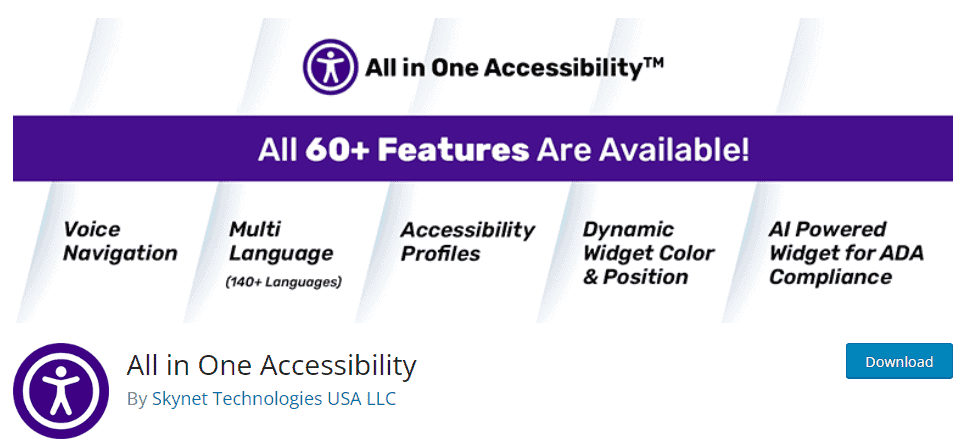
All in One Accessibility provides a complete suite of accessibility tools for businesses that want fast improvements and wide feature coverage. It includes a screen reader, voiceover tools, a dictionary tool, keyboard navigation support, and accessibility profiles for different needs. The widget can be styled to match your website colors and placed anywhere on the screen. The plugin also supports more than one hundred languages and integrates with GA4 for tracking accessibility usage. It is an excellent choice for sites with diverse audiences.
Key Features:
- Screen reader and voiceover tools
- Keyboard friendly navigation
- Customizable widget design
- Support for more than one hundred languages
- GA4 tracking integration
Equalize Digital Accessibility Checker
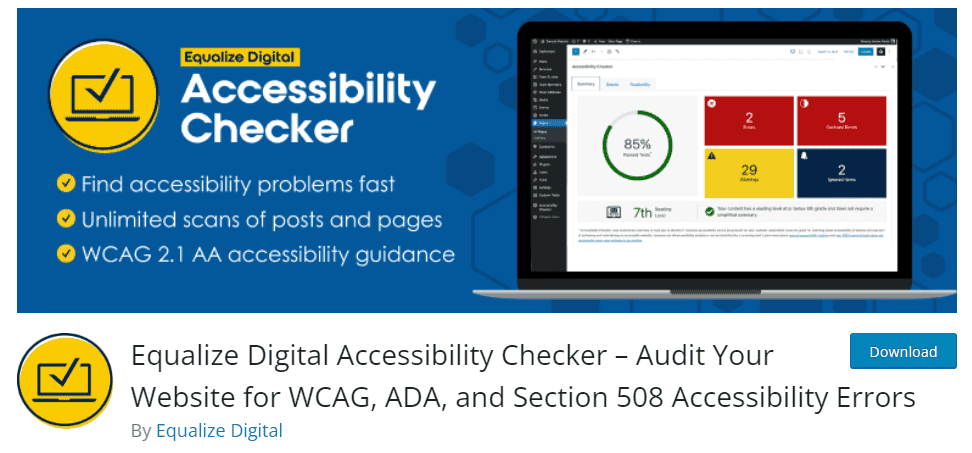
Equalize Digital Accessibility Checker helps content creators fix accessibility issues while they are writing new posts and pages. It scans content in real time and highlights problems such as missing headings, improper alt text, unclear link text, and contrast errors. This allows you to correct issues before publishing, saving time and reducing long term risks. The tool follows multiple accessibility standards, making it suitable for agencies, growing businesses, and teams that publish frequently.
Key Features:
- Real time content scanning
- More than forty accessibility checks
- Supports ADA, Section 508, and WCAG
- Unlimited site wide scanning
- Built by certified accessibility experts
How Brandy Can Help Accessibility Across Your Digital Assets

While accessibility plugins improve how users interact with your WordPress site, Brandy adds another level of support by making your brand assets easier to manage, organize, and share. A large part of accessibility depends on the consistency and clarity of the visuals and content you publish. Brandy helps teams maintain that consistency by centralizing logos, color palettes, typography, and all approved brand files in one place. This ensures that every asset used on your website follows the correct contrast rules, correct font choices, and clear visual structure that supports accessibility.
Brandy also reduces the risk of using outdated or non compliant assets. When teams pull visuals from different folders or tools, it becomes easy to publish graphics with low contrast, missing alt descriptions, or inconsistent styles. Brandy solves this by giving everyone a single source of truth for brand material. With all assets stored in accessible formats, tagged correctly, and organized visually, your site becomes easier to update and your content becomes easier for visitors to understand.
By improving brand governance, Brandy strengthens the foundation for accessible web design. It supports designers, developers, and content creators as they build experiences that look consistent, feel familiar, and meet accessibility expectations across every platform.
Final Thoughts
Making a website accessible is one of the simplest and most meaningful ways to create a better online experience for every visitor. It shows care, responsibility, and an understanding that people interact with the web in many different ways. Accessibility plugins make this process easier by offering practical tools that support users with visual, hearing, cognitive, and motor challenges. They help website owners find issues, fix them quickly, and keep their content usable for a wider audience.
True accessibility is not only about meeting guidelines. It is about welcoming more people to your digital space, building trust, and creating an environment where every visitor feels valued. When a website is easier to navigate, clearer to read, and more comfortable to use, everyone benefits. As you continue improving your WordPress site, consider accessibility an ongoing practice that grows with your content and technology. With the right tools and consistent effort, your website can become a place where all users feel included and supported.

